Important Notice:
- myHPcloud Cloud Storage (MY) sold by SEAGM are valid for use in Malaysia only.
- All purchases are strictly non-refundable and non-returnable.
Terms & Conditions:
The e-voucher is non-refundable. The e-voucher can be redeemed only once per account. The e-voucher cannot be combined with any other promotions. - Applicable for use within Malaysia only.
Step 1: Once the purchase from SEAGM is completed, kindly retrieve your game card code in "My Cards".
Step 2: Open the myHPcloud website and log in to your account or create the account if you dont have one.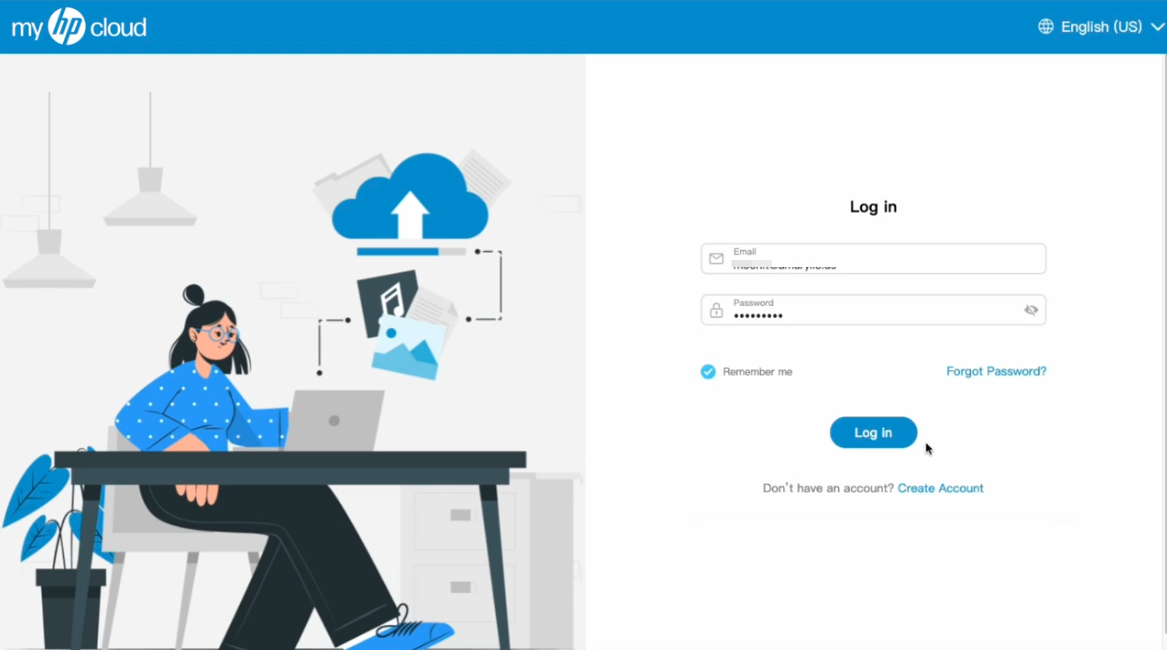 Step 3: Once logged in, please click on the ‘Upgrade’ button in your account’s drop-down menu.
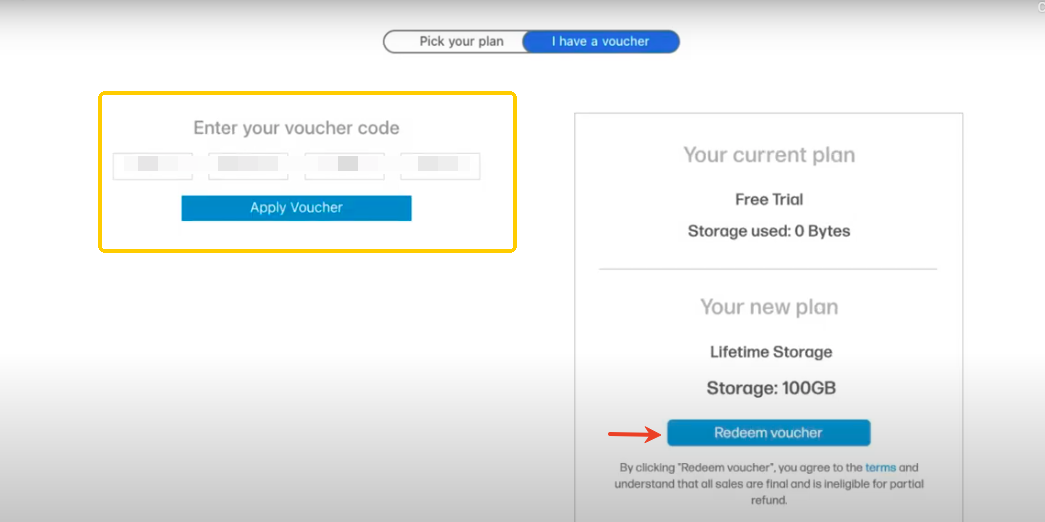
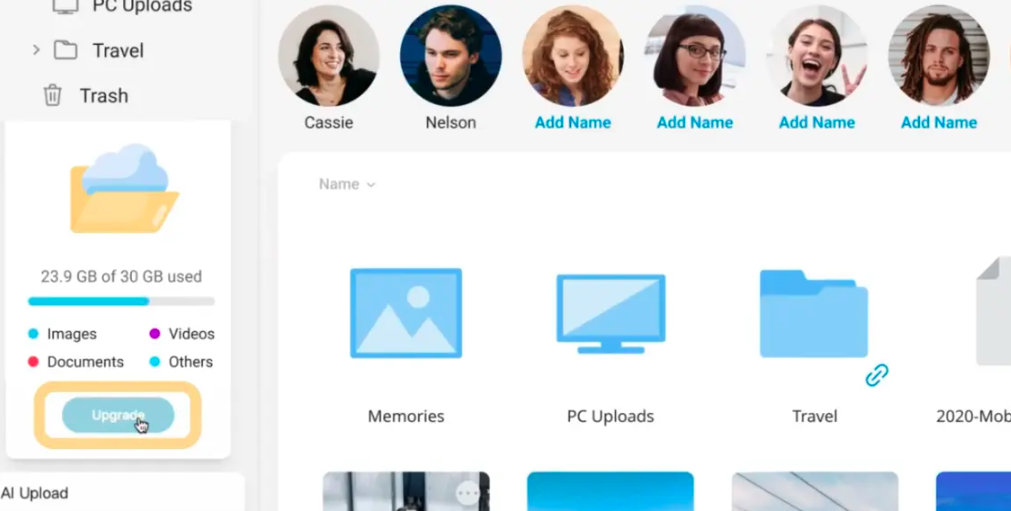 Step 4: After clicking ‘Upgrade,’ choose ‘I have a voucher,’ enter your 16-digit code carefully, and click ‘Apply Voucher’, then, select ‘Buy Now’ and your account will be upgraded to the purchased cloud storage capacity immediately upon completion.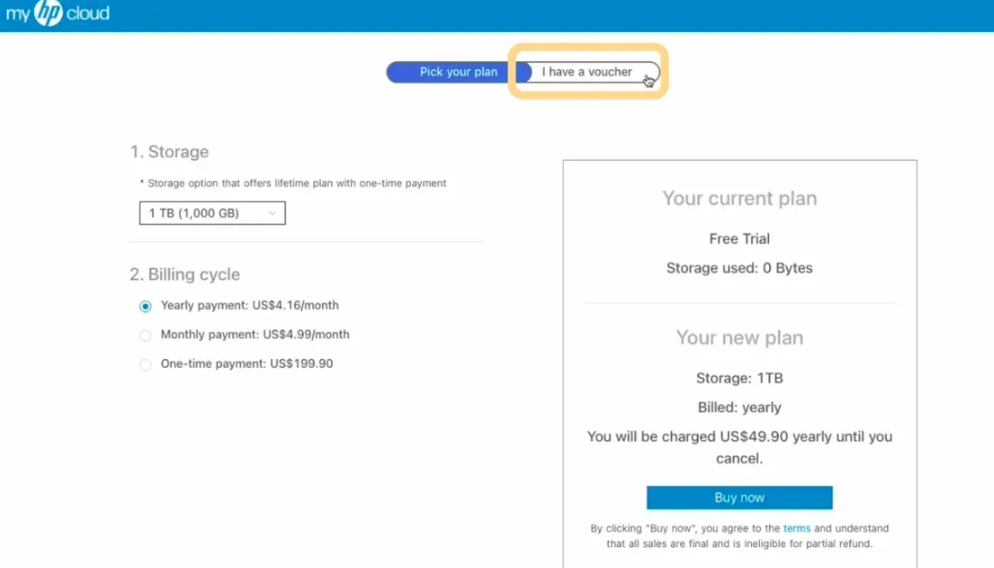
ขอบคุณ
เยี่ยมชม เว็บไซต์สนับสนุน SEAGM เพื่อรับคำตอบและคำแนะนำอย่างรวดเร็ว
ต้องการความช่วยเหลือใช่ไหม? ติดต่อเรา ฝ่ายสนับสนุนลูกค้า ผ่านทาง LiveChat .