About:
Build a Dragon City on floating islands, fill it with farms, habitats, buildings…and tons of dragons! Train them to your will, feed and evolve them into stunning monsters and prove your might to be the top Dragon Master in the world!
Note: The Google Play gift cards sold by SEAGM are region-locked products. Please ensure that the gift card’s region matches the region of your registered Google account.
Step 1: Once the purchase from SEAGM is completed, kindly retrieve your game card code in "My Cards".
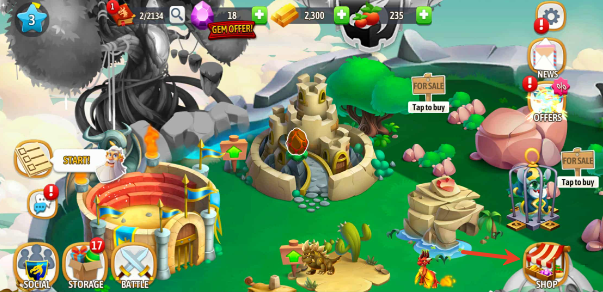
Step 2: Install and start the application then tap the "Shop" icon at the bottom right of your screen and select your preferred amount of gems.
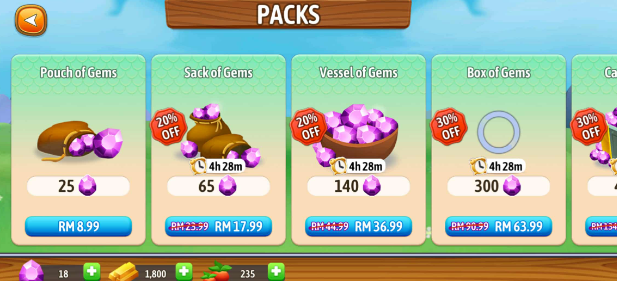
Step 3: Tap "Redeem code" to enter the code you purchased then click "Redeem".

ขอบคุณ
เยี่ยมชม เว็บไซต์สนับสนุน SEAGM เพื่อรับคำตอบและคำแนะนำอย่างรวดเร็ว
ต้องการความช่วยเหลือใช่ไหม? ติดต่อเรา ฝ่ายสนับสนุนลูกค้า ผ่านทาง LiveChat .