Sign in to SEAGM quickly using your mobile phone to access your account, place orders, and make payments easily.
Step 1: On the SEAGM site, click on the top right corner [Sign in]. 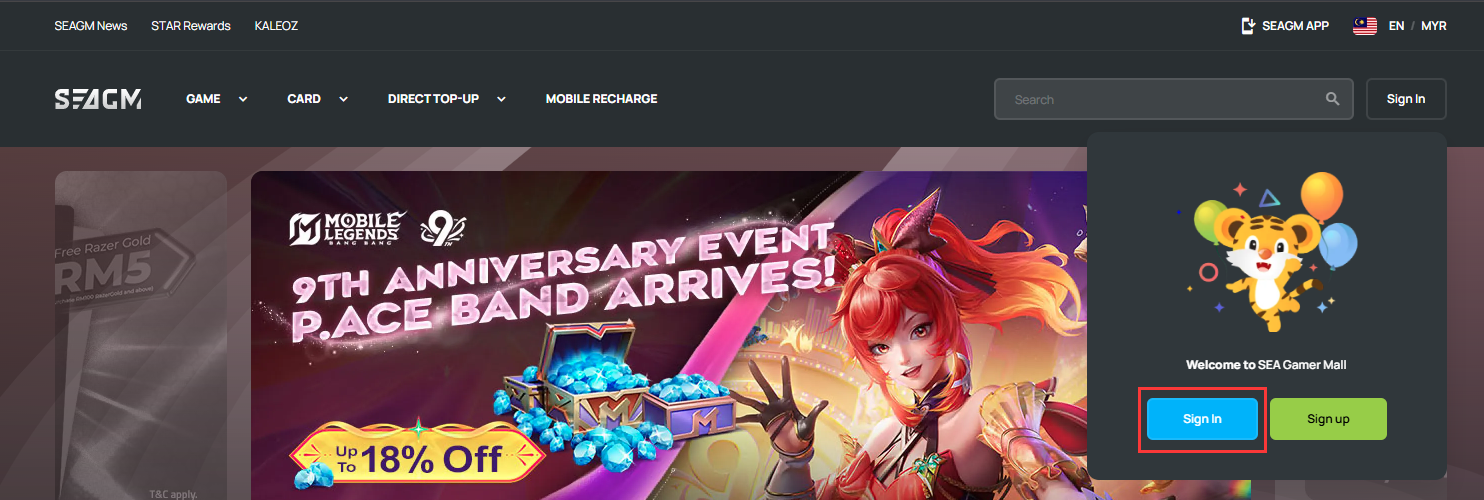
Step 2: On the login screen, select [mobile phone] as your login method.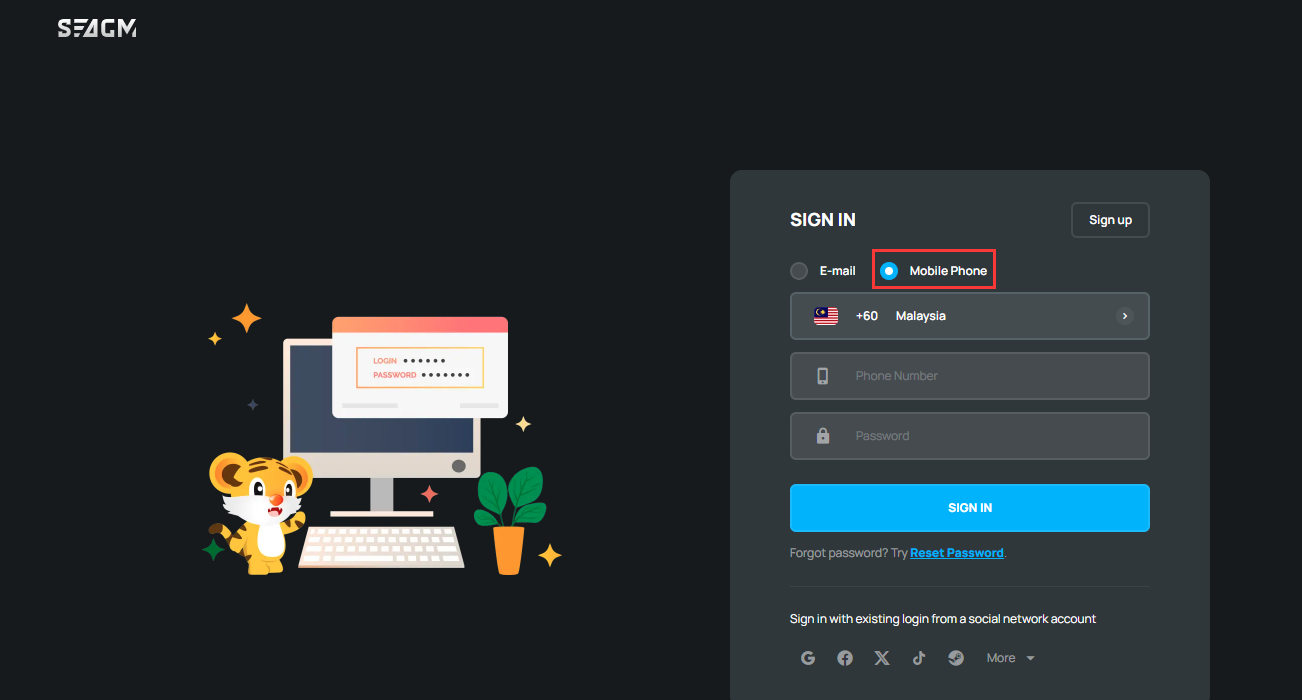
Step 3: Select the country code, enter your phone number and password. Then, click [Sign in] to proceed. 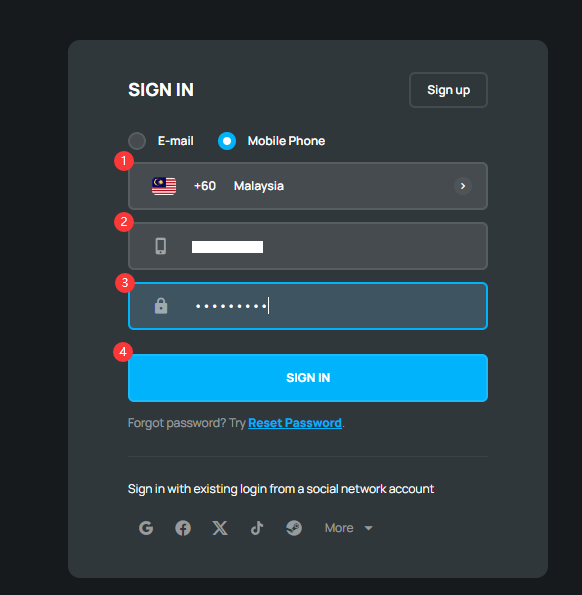
Step 4: After signing in successfully, you can place orders and make payments according to your needs.
ขอบคุณ
เยี่ยมชม เว็บไซต์สนับสนุน SEAGM เพื่อรับคำตอบและคำแนะนำอย่างรวดเร็ว
ต้องการความช่วยเหลือใช่ไหม? ติดต่อเรา ฝ่ายสนับสนุนลูกค้า ผ่านทาง LiveChat .