Wayfair Gift Cards are a thoughtful and hassle-free way to show you care. With one of the world's largest selections of furniture, home décor, and everyday essentials, featuring over ten million items from more than 10,000 suppliers-Wayfair makes it easy to find the perfect piece at the right price. Our wide selection, exceptional customer service, and the convenience of online shopping make creating a home you love easier than ever. Wayfair Gift Cards can be used across all Wayfair-owned sites, including wayfair.com, jossandmain.com, birchlane.com, allmodern.com, and perigold.com.
Note:
This product is region-locked. Please purchase it from the correct region to ensure it works properly.
-
All purchases made in SEAGM, once they're delivered, are non-returnable, non-exchangeable, and non-refundable.
Step 1: Log in or register on SEAGM, search for "Wayfair" in the top menu, and select "Wayfair Gift Card [US/CA]".
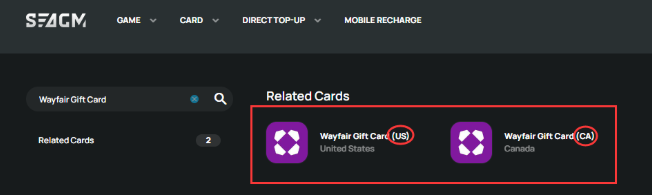
Step 2: Select the card amount that you need, enter the quantity and click "buy now" to proceed.
Step 3: Review and confirm the selected amount and quantity, then click "Pay Now" to complete the purchase.

Step 4: Pick your desired payment method and click "Pay Now" to complete your payment.
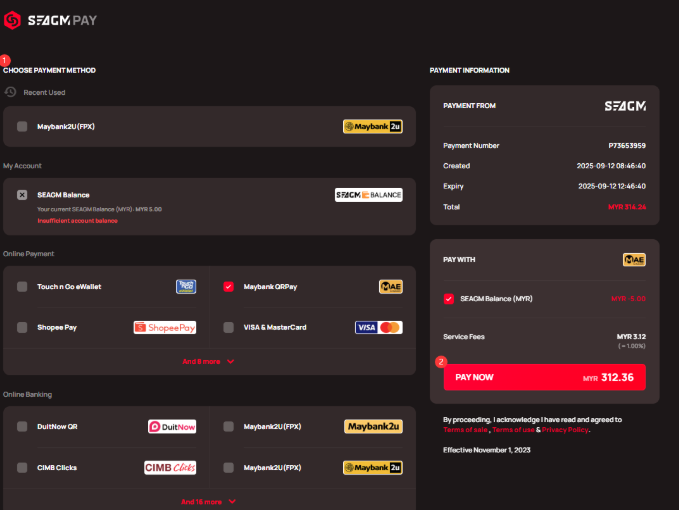
Step 5: Once payment is completed, you may retrieve your code under your User profile in My Cards. For pre-ordered products, it might take a few working days for the card to be delivered.
ขอบคุณ
เยี่ยมชม เว็บไซต์สนับสนุน SEAGM เพื่อรับคำตอบและคำแนะนำอย่างรวดเร็ว
ต้องการความช่วยเหลือใช่ไหม? ติดต่อเรา ฝ่ายสนับสนุนลูกค้า ผ่านทาง LiveChat .