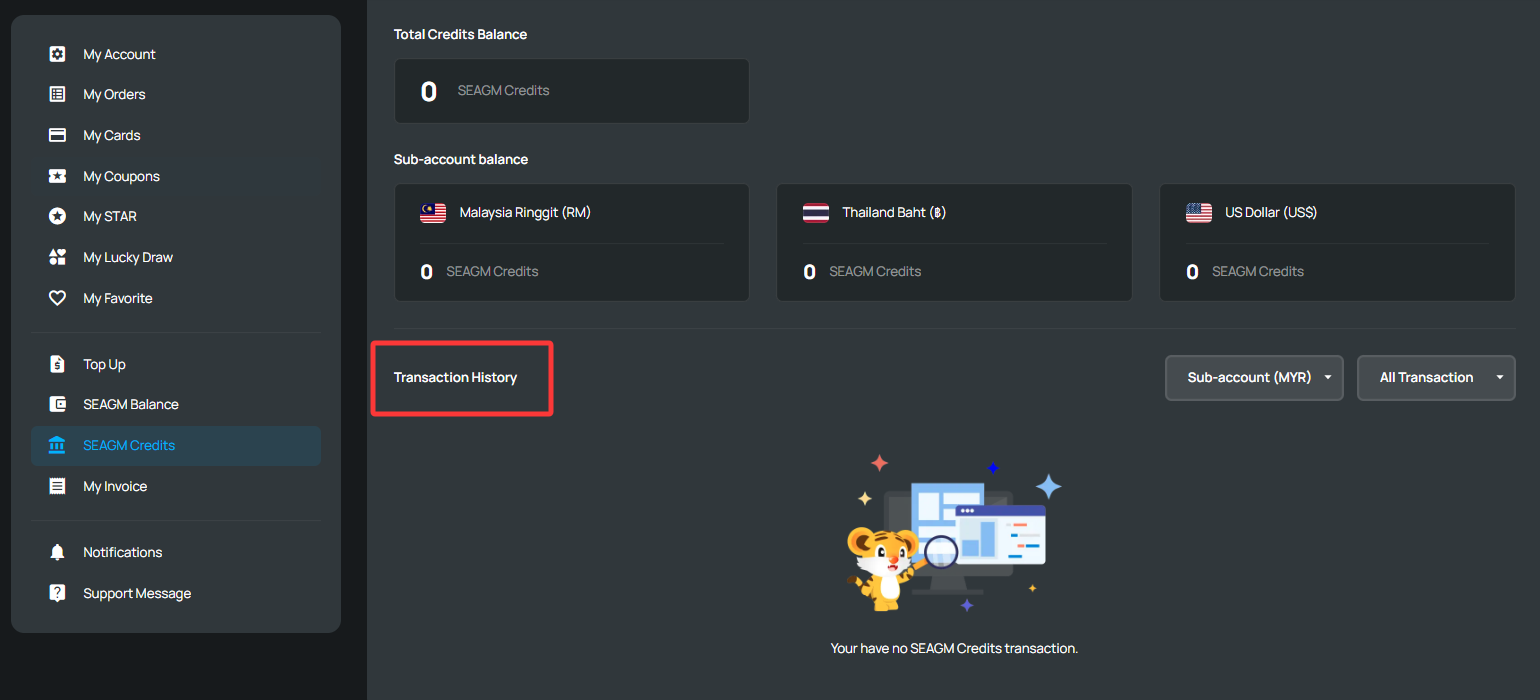
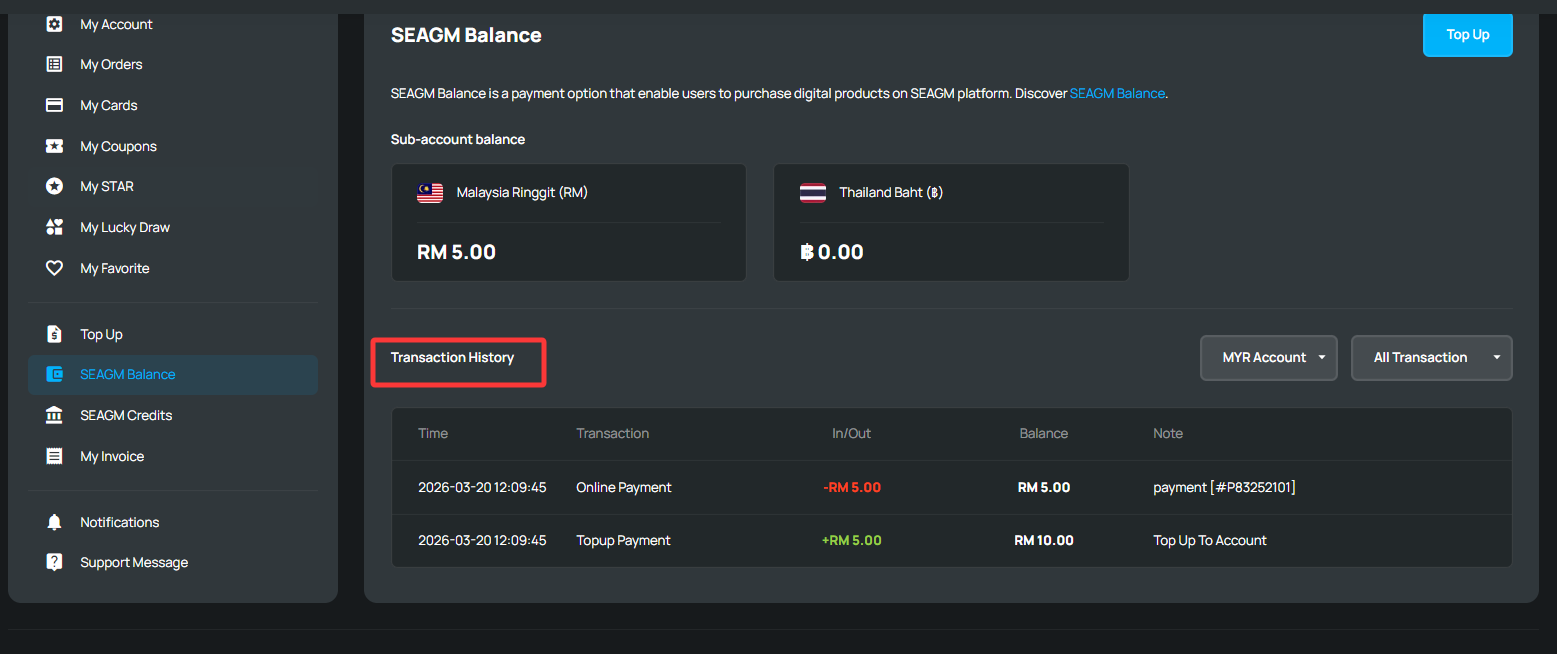
Here's how to check your transaction history:
1. Sign in to your SEAGM account and go to either "SEAGM Balance" or "SEAGM Credit", depending on the payment method used for your purchase.
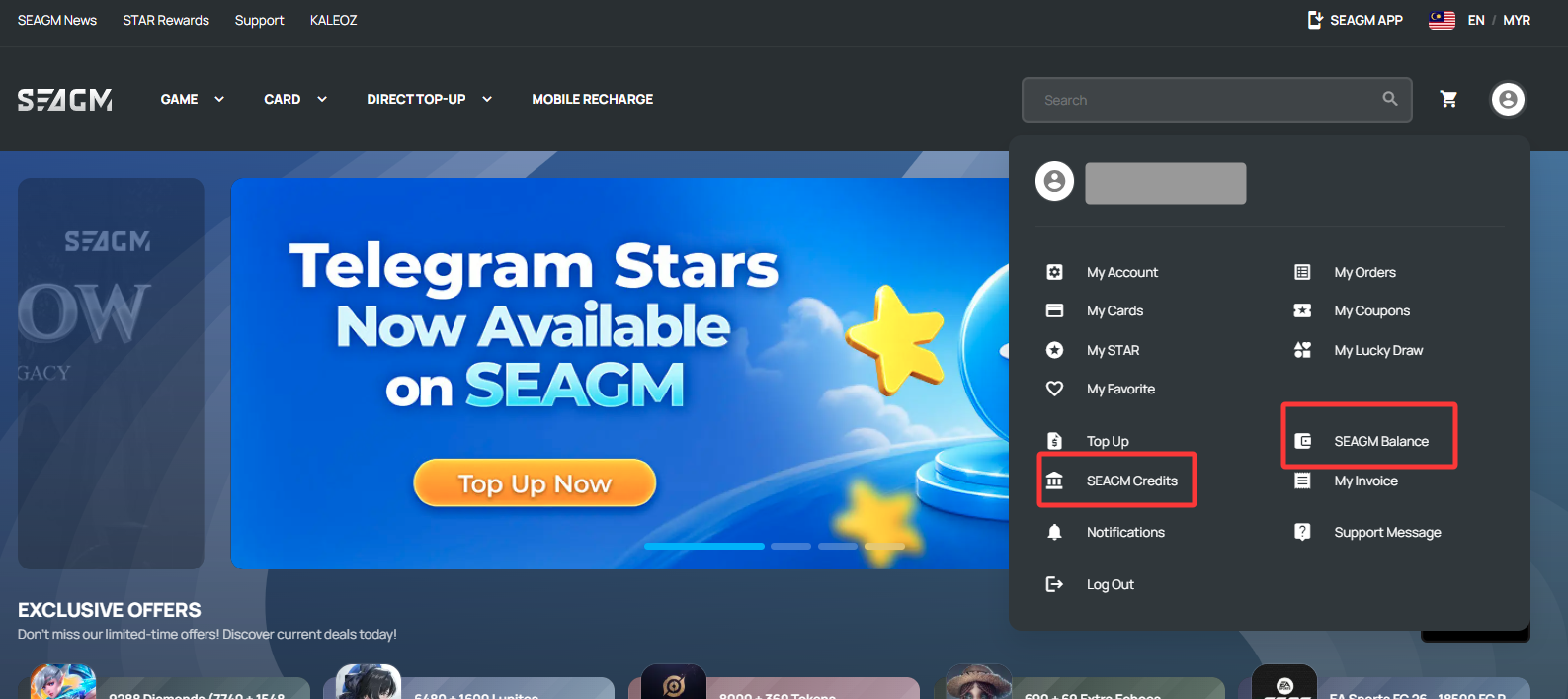
- If you used your available SEAGM Credits for the purchase, click "SEAGM Credit" to view the transaction records.
- If you paid through the normal checkout process using SEAGM Balance or another payment method, click "SEAGM Balance" instead.
ขอบคุณ
เยี่ยมชม เว็บไซต์สนับสนุน SEAGM เพื่อรับคำตอบและคำแนะนำอย่างรวดเร็ว
ต้องการความช่วยเหลือใช่ไหม? ติดต่อเรา ฝ่ายสนับสนุนลูกค้า ผ่านทาง LiveChat .