Spotify is a digital music, podcast, and video streaming service that gives you access to millions of songs and other content from artists all over the world. Basic functions such as playing music are free, but you can also choose to upgrade to Spotify Premium.
Note: Spotify Gift Card is a region-locked card. Your Spotify account region settings must match the purchased gift card.
Step 1: Once completed the purchase from SEAGM, kindly retrieve your game card code in "My Cards".
Step 2: Visit the official website of Spotify, then log in to your account to redeem the codes.
Step 3: Enter the PIN code purchased from SEAGM, then click "Continue".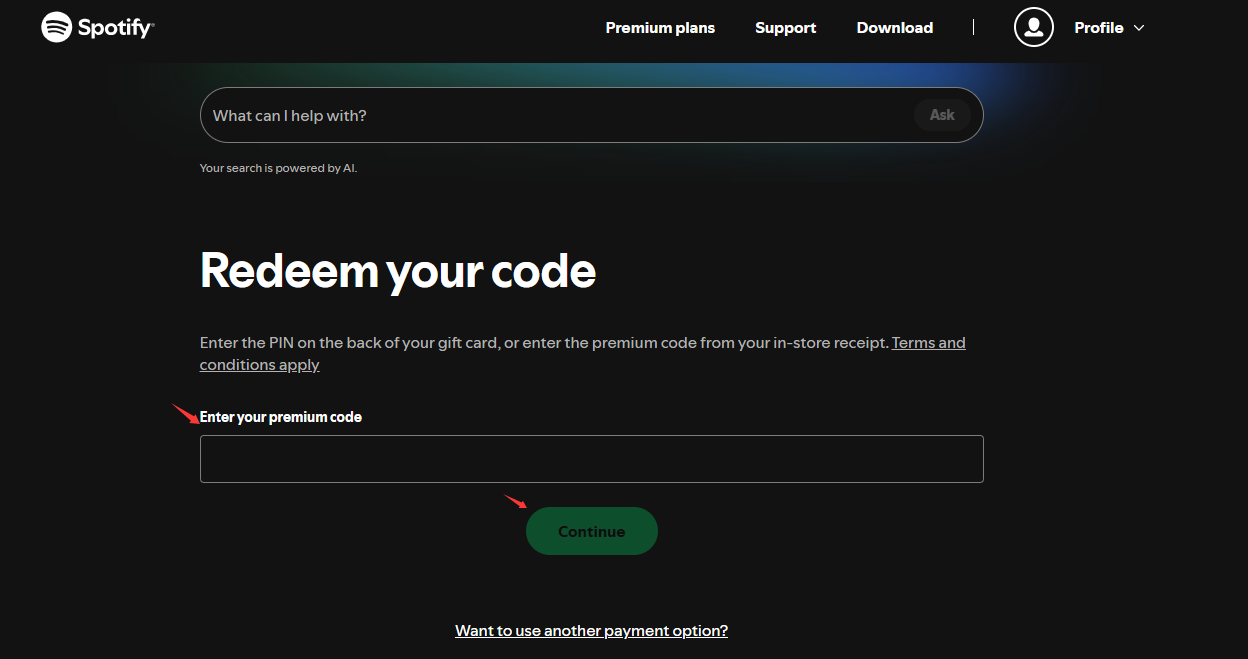
Step 4: Once the redemption is completed, your Spotify balance or subscription will be updated automatically in your account.
ขอบคุณ
เยี่ยมชม เว็บไซต์สนับสนุน SEAGM เพื่อรับคำตอบและคำแนะนำอย่างรวดเร็ว
ต้องการความช่วยเหลือใช่ไหม? ติดต่อเรา ฝ่ายสนับสนุนลูกค้า ผ่านทาง LiveChat .