Netflix is a streaming service that offers a wide variety of award-winning TV shows, movies, anime, documentaries, and more on thousands of internet-connected devices. You can watch as much as you want, whenever you want without a single commercial – all for one low monthly price. There's always something new to discover and new TV shows and movies are added every week!
Important Note: Netflix Gift Card sold in SEAGM was region-locked. Kindly confirm your Netflix account region before purchase.
Step 1: Once your purchase from SEAGM is completed, retrieve your code from "My Cards" in your SEAGM account.
Step 2: Visit the official Netflix website to redeem your gift card code.
Step 3: Enter the PIN code purchased from SEAGM, then click "Redeem" to proceed.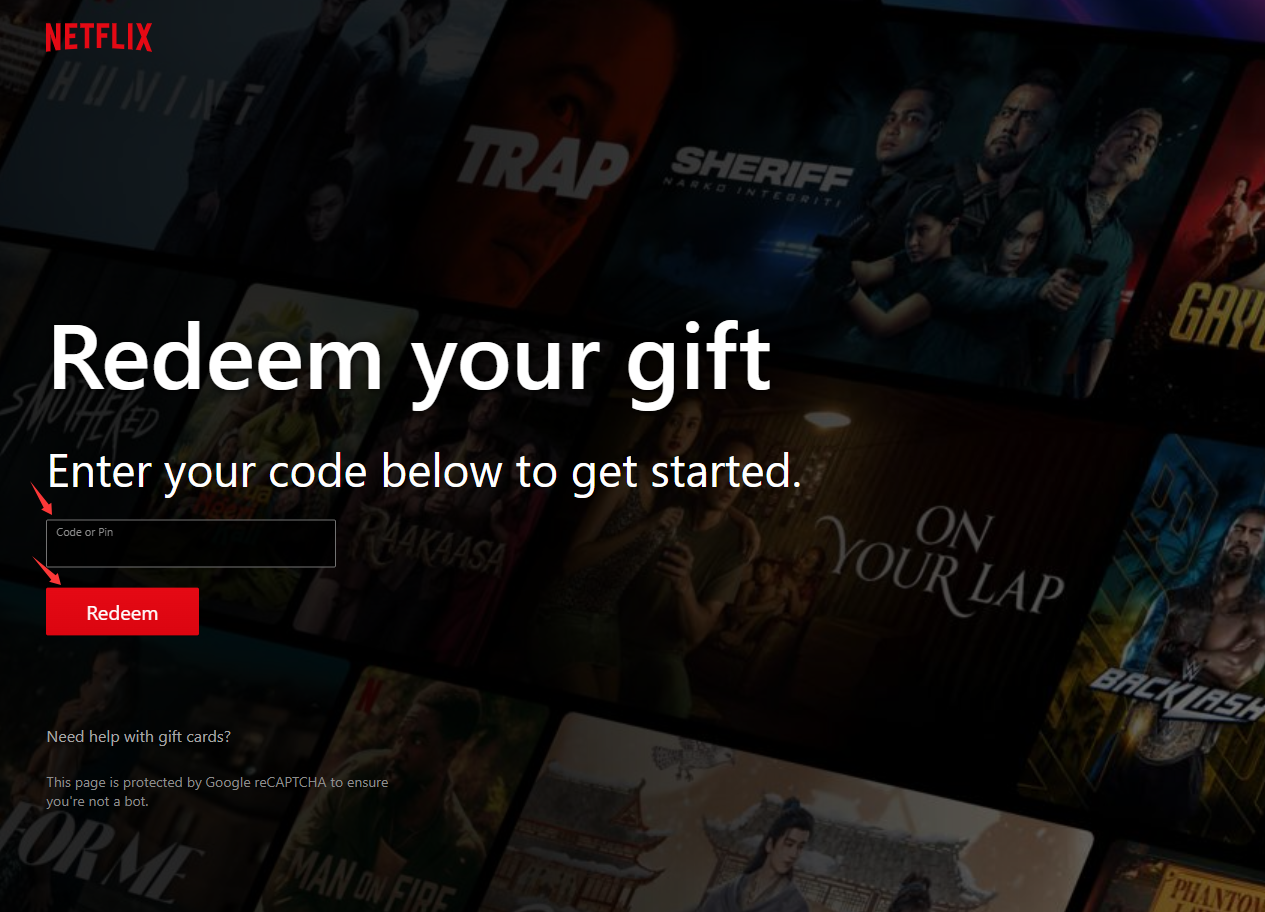
Step 4: Once the redemption is completed, the gift card balance will be automatically added to your Netflix account.
ขอบคุณ
เยี่ยมชม เว็บไซต์สนับสนุน SEAGM เพื่อรับคำตอบและคำแนะนำอย่างรวดเร็ว
ต้องการความช่วยเหลือใช่ไหม? ติดต่อเรา ฝ่ายสนับสนุนลูกค้า ผ่านทาง LiveChat .