Deliveroo Gift Card allows you or your recipient to order fresh food from your favourite local restaurants, cafes, shops, and takeaways delivered straight to your door or office in your area. The perfect gift of delicious food for friends and family, or the ideal reward for your team.
Step 1: Login/register an account in SEAGM. In the top menu, enter the keyword "Deliveroo" and click Search. Select "Deliveroo Gift Card [Based on your region]".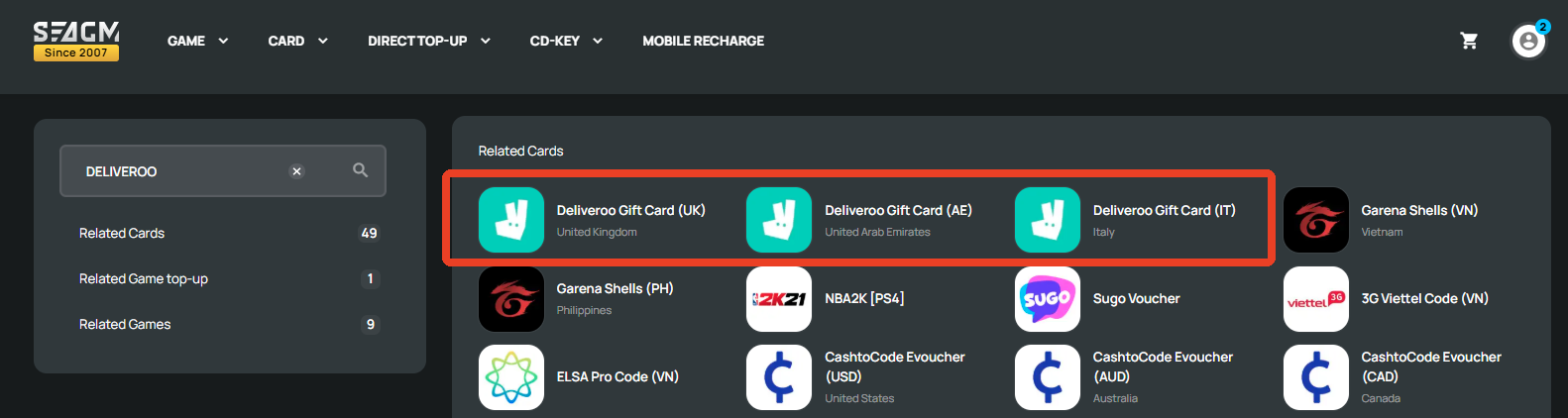
Step 2: Select the amount, then enter the quantity and click "Buy Now" to proceed.
Step 3: Kindly confirm the amount and quantity selected, then click " Pay Now" once confirmed.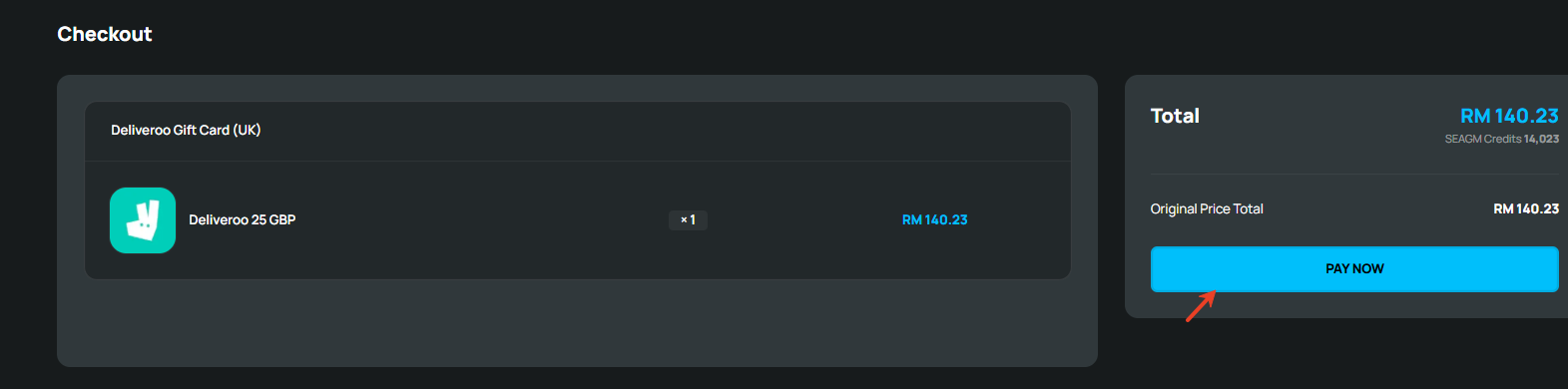
Step 4: Pick your desired payment method and click "Pay Now" to complete your payment.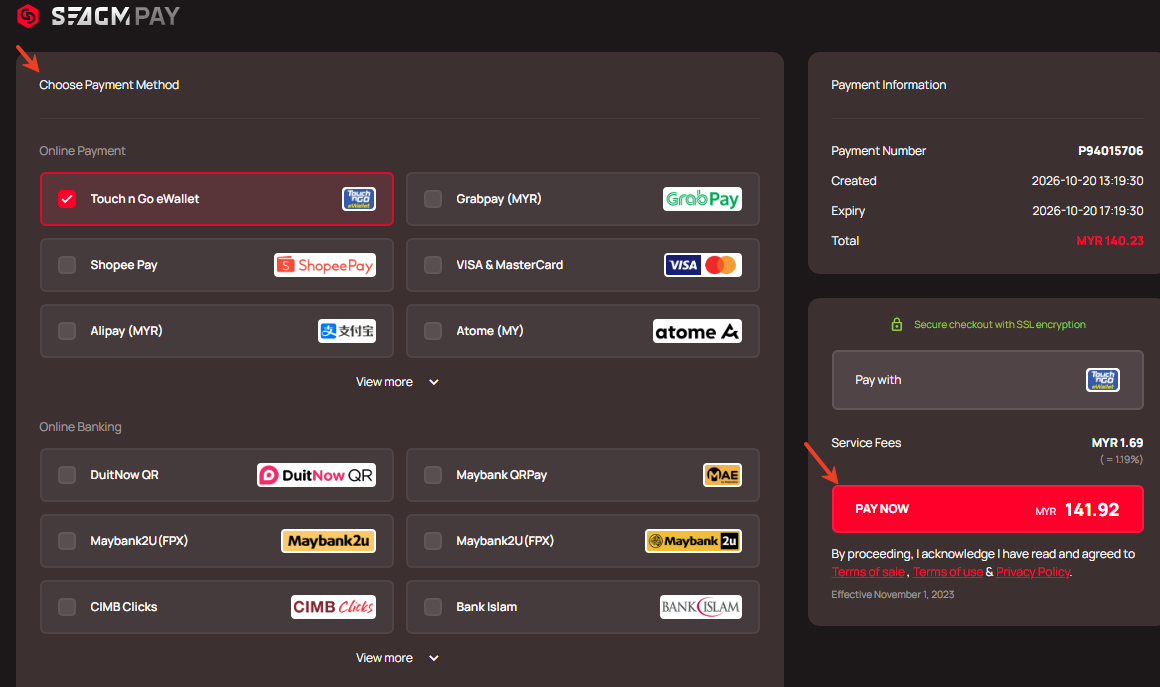
Step 5: Once payment is completed, you may retrieve your code under your User profile in My Cards. For Pre-Order products, it might take a few working days for the card to be delivered.
ขอบคุณ
เยี่ยมชม เว็บไซต์สนับสนุน SEAGM เพื่อรับคำตอบและคำแนะนำอย่างรวดเร็ว
ต้องการความช่วยเหลือใช่ไหม? ติดต่อเรา ฝ่ายสนับสนุนลูกค้า ผ่านทาง LiveChat .