Explore infinite worlds and build everything from the simplest of homes to the grandest of castles. Play in creative mode with unlimited resources or mine deep into the world in survival mode, crafting weapons and armour to fend off dangerous mobs. Create, explore and survive alone or with friends on mobile devices or Windows 10. Minecoins are an in-game credit you can use to buy Skins, Texture Packs, Worlds, and more from the Minecraft Marketplace.
Important Note: Minecraft Minecoins are not available in Mainland China.
Step 1: Login/register an account in SEAGM. In the top menu, type "Minecoins" and click Search. Select "Minecraft Minecoin".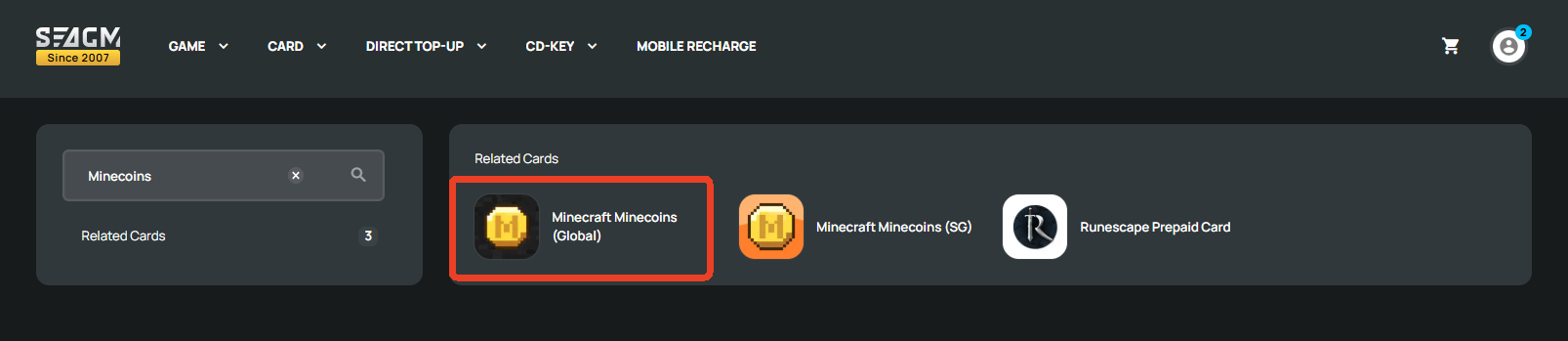
Step 2: Select the card type, then enter the quantity and click "Buy Now" to proceed.
Step 3: Kindly confirm the card type and quantity selected, then click " Pay Now" once confirmed.
Step 4: Pick your desired payment method and click "Pay Now" to complete your payment.
Step 5: Once payment is completed, you may retrieve your code under User Profile in MyCards.
ขอบคุณ
เยี่ยมชม เว็บไซต์สนับสนุน SEAGM เพื่อรับคำตอบและคำแนะนำอย่างรวดเร็ว
ต้องการความช่วยเหลือใช่ไหม? ติดต่อเรา ฝ่ายสนับสนุนลูกค้า ผ่านทาง LiveChat .