Mobile Legends: Bang Bang was released in 2016, a mobile multiplayer online battle arena developed and published by Moonton. Join your friends in a brand new 5v5 MOBA showdown against real human opponents in Mobile Legends. Choose your favorite heroes and build the perfect team with your comrades-in-arms today.
Important Regional Restrictions:
- Mobile Legends Diamonds (Mdirect) can only be redeemed by users located in the Middle East.
- Mobile Legends Diamonds (Mdirect) is not available for users in Russia, Singapore, the Philippines, Brazil, Malaysia, and Indonesia.
Please check the regional requirements carefully before placing your order.
Step 1: Once the purchase from SEAGM is completed, kindly retrieve your game card code in "My Cards".
Step 2: Visit the official website of Mobile Legends: Bang Bang (Mdirect) to proceed with code redemption.
Step 3: Kindly select the denominations purchased from SEAGM and enter your email, account ID, and zone ID.
Step 4: Once entered, kindly confirm the information and click on "validate player ID" to proceed.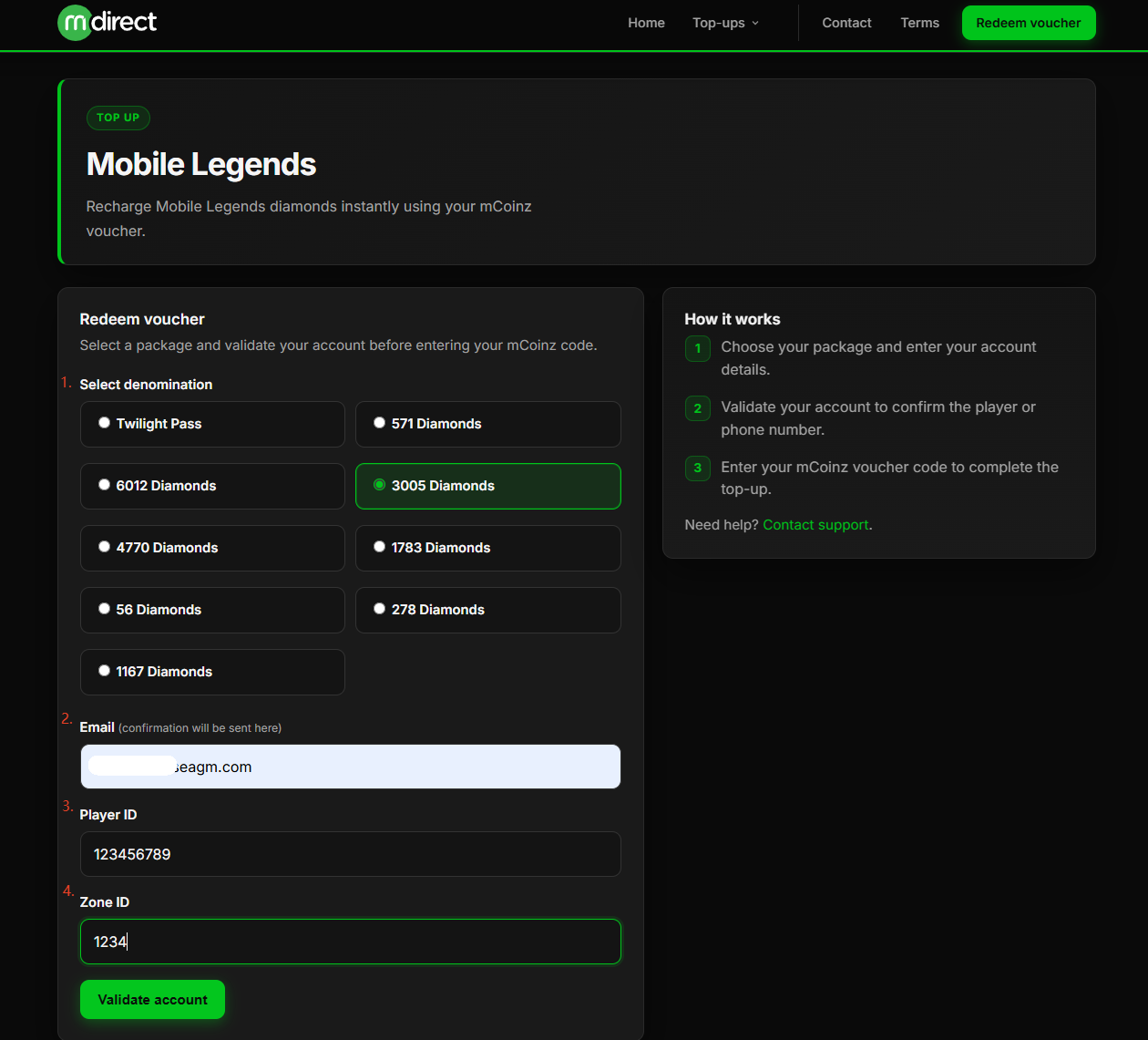
Step 5: A pop-out message will be shown once you click " Validate "; please confirm and click "Continue". 
Step 6: Once agree on it, your player name will be shown, and kindly enter the redemption code purchased from SEAGM, then click on "Top Up Account".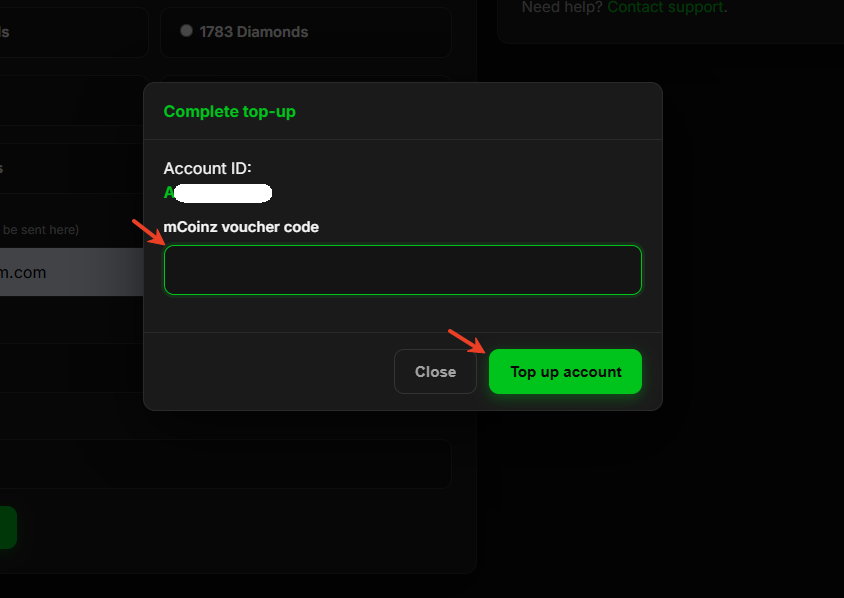
Step 7: Once the transaction is completed, you will receive diamonds directly in the game.
ขอบคุณ
เยี่ยมชม เว็บไซต์สนับสนุน SEAGM เพื่อรับคำตอบและคำแนะนำอย่างรวดเร็ว
ต้องการความช่วยเหลือใช่ไหม? ติดต่อเรา ฝ่ายสนับสนุนลูกค้า ผ่านทาง LiveChat .