PIX is a Brazilian payment method, officially launched by the local Central Bank, that enables immediate payment confirmation and 24/7 availability. The user can complete the payment using any Home Banking or E-wallet App, by copying and pasting a Transaction ID or scanning a QR code.
Note:
1. A processing fee of 3% will be applied automatically during each checkout. Costs vary and may change from time to time.
2. Bank Transfer [BRL] payment method is ONLY available for Brazil users under Brazilian real [BRL] in SEAGM.
3. Kindly make sure that NO virtual private network (VPN) has been enabled during checkout.
Step 1: Choose your products in SEAGM, then click "PayNow" to be directed to the checkout page.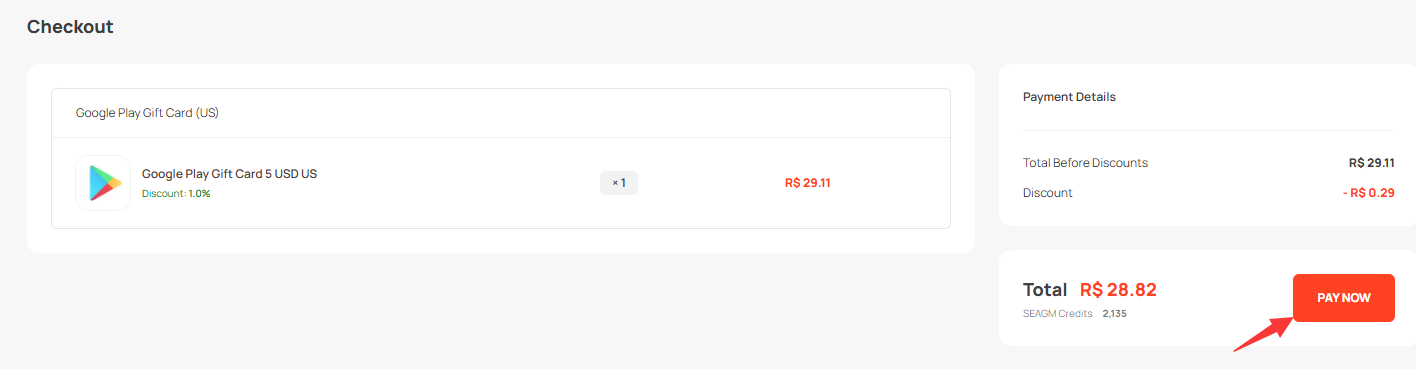
Step 2: Click Online Banking and select "Pix". Then, choose "Pay Now" to proceed.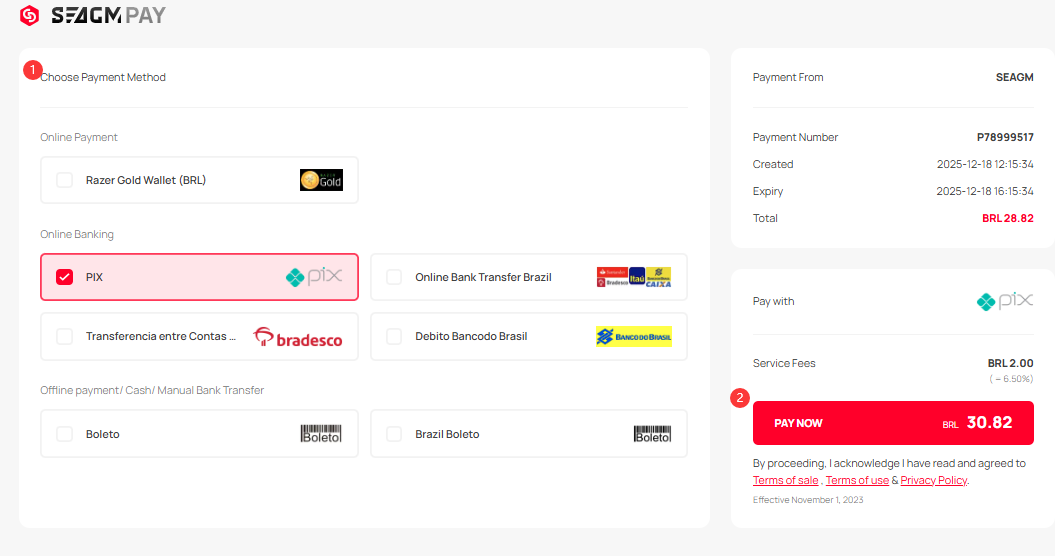
Step 3: Once clicked, you will then be directed to the Pix payment page. Kindly follow the on-screen instructions to make the payment. Once the transaction is completed, please allow the payment gateway to re-direct you back to our website to fully complete the transaction.
***Note: Please allow our website to fully load once your transaction is completed to prevent floating orders.
Step 4: You may check your order status under "My Orders" in your SEAGM profile.
ขอบคุณ
เยี่ยมชม เว็บไซต์สนับสนุน SEAGM เพื่อรับคำตอบและคำแนะนำอย่างรวดเร็ว
ต้องการความช่วยเหลือใช่ไหม? ติดต่อเรา ฝ่ายสนับสนุนลูกค้า ผ่านทาง LiveChat .