GOALS ialah permainan bola sepak yang pantas dan responsif yang dibina untuk kemahiran tulen, persaingan sebenar dan komuniti global. Permainan diutamakan, percuma untuk dimainkan, permainan silang dan pemain yang unik. Tiada alasan - hanya bola sepak.
Langkah 1: Daftar atau log masuk ke SEAGM, kemudian di bahagian atas sebelah kanan halaman, cari "Goals".
Langkah 2: Pilih "GOALS Coins Top Up" dan pilih jumlah coins. Selepas memilih, sila masukkan ID Pengguna kemudian klik "Beli Sekarang" untuk meneruskan.
Nota: Untuk menyemak ID Pengguna, sila pergi ke Account Settings untuk mencari dan menyalin ID Pengguna Goals anda.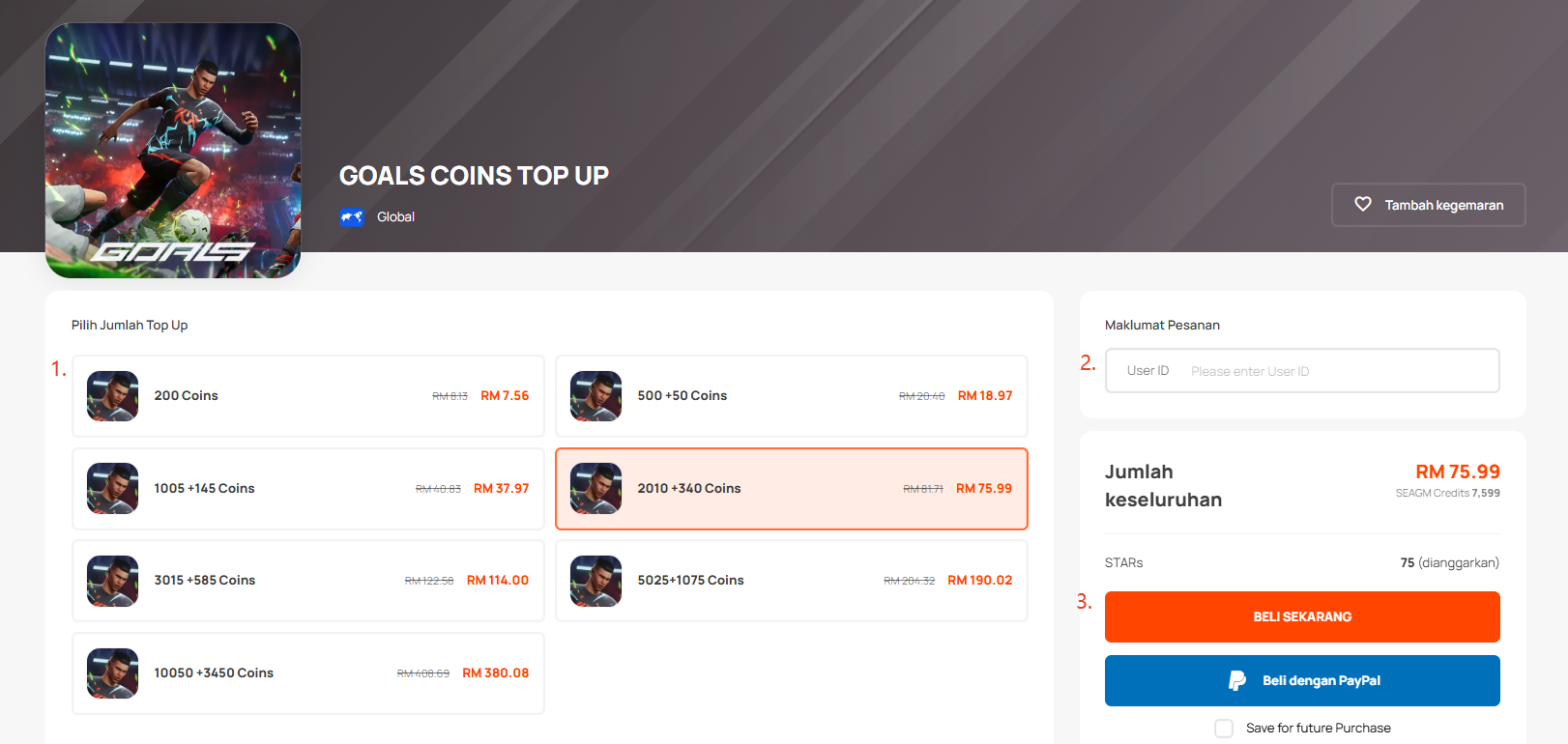
Langkah 3: Sila sahkan maklumat akaun dan jumlah syiling kemudian klik "Bayar Sekarang".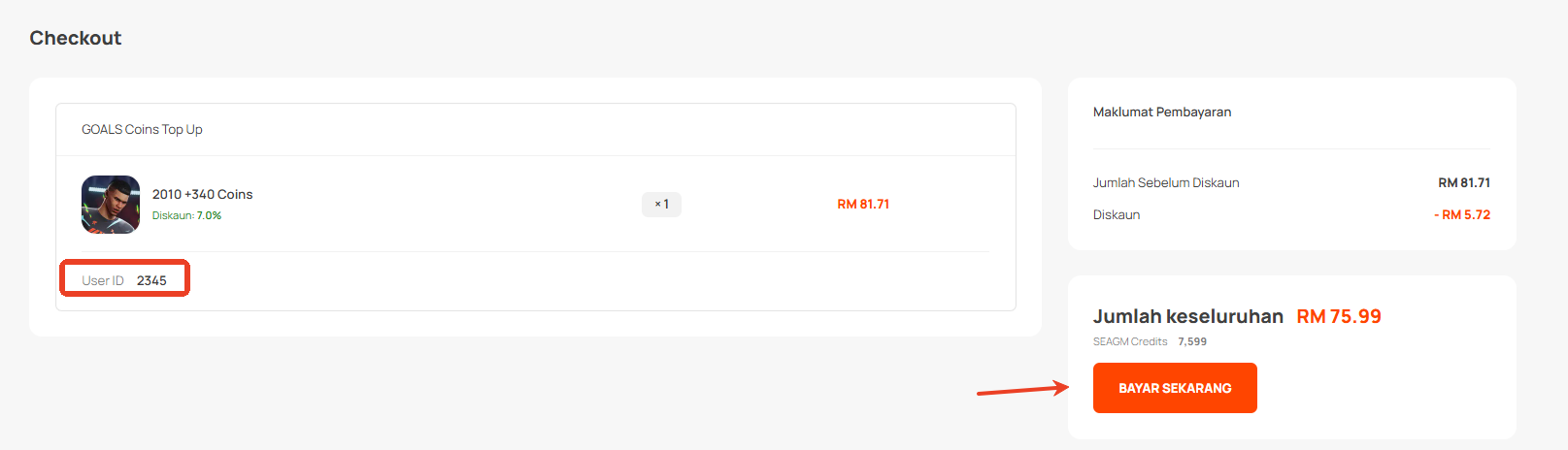
Langkah 4: Pilih kaedah pembayaran yang anda inginkan dan klik "Bayar Sekarang" untuk menyelesaikan pembayaran anda.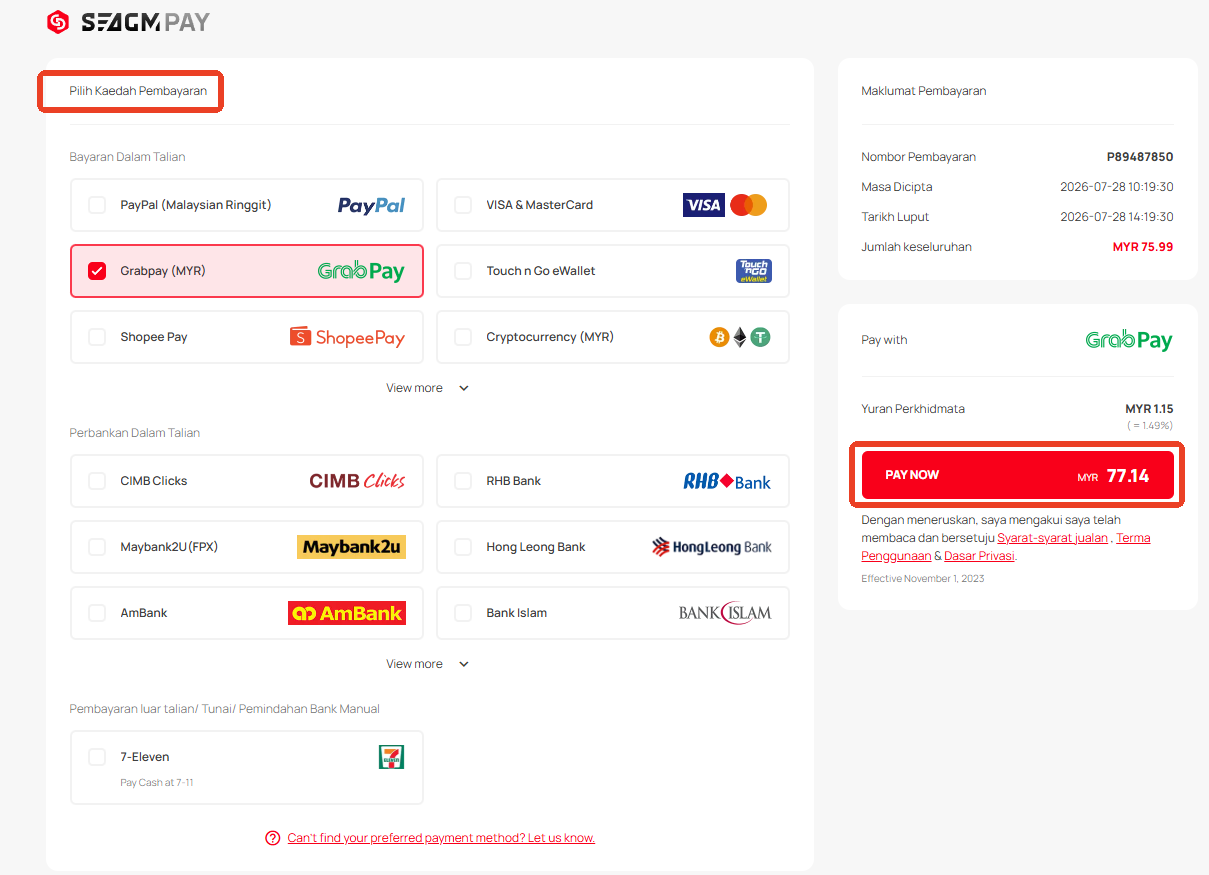
Langkah 5: Setelah pembayaran selesai, anda boleh melihat status pesanan anda, di bawah "Pesanan Saya".
Terima kasih.
Lawati laman Sokongan SEAGM untuk mendapatkan jawapan dan panduan pantas.
Perlukan sokongan? Hubungi Perkhidmatan Pelanggan kami melalui LiveChat .