Nota penting: Kaedah pembayaran eMoney [USD] hanya tersedia untuk pengguna Kemboja di bawah mata wang USD.
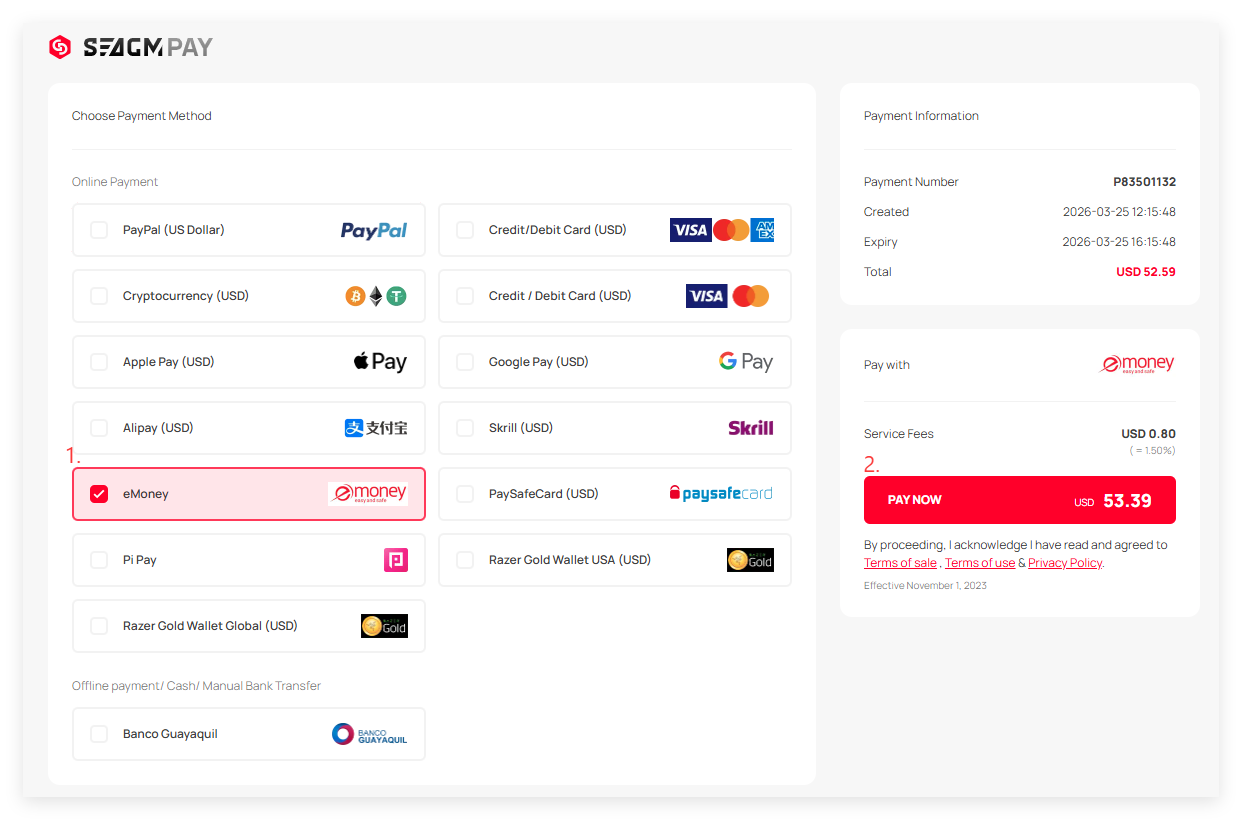
Langkah 1: Pilih produk anda dalam SEAGM, kemudian klik "Bayar Sekarang" untuk dihalakan ke halaman pembayaran.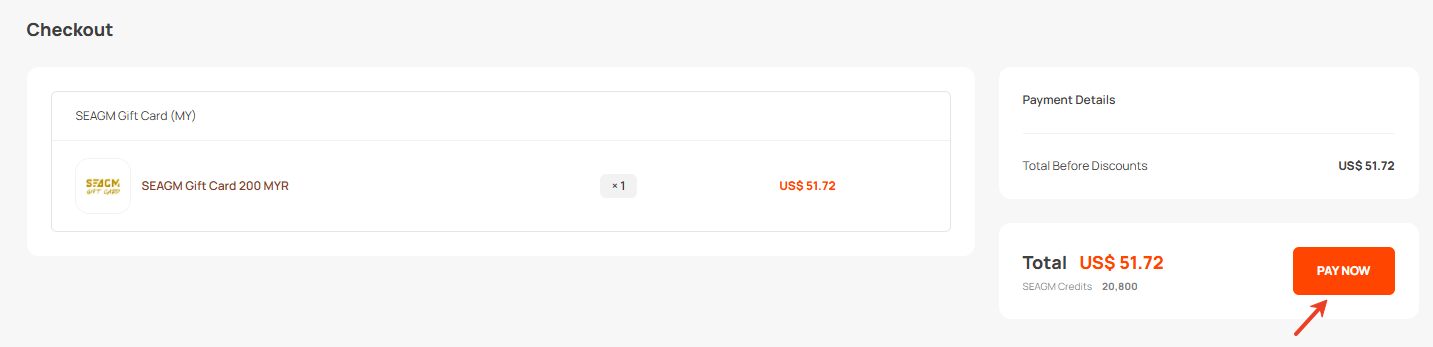 Langkah 2: Pilih eMoney dan klik pada "Bayar Sekarang".
Langkah 3: Anda akan diarahkan ke laman web eMoney untuk meneruskan seterusnya. Anda akan diminta memasukkan nombor telefon eMoney anda untuk meneruskan.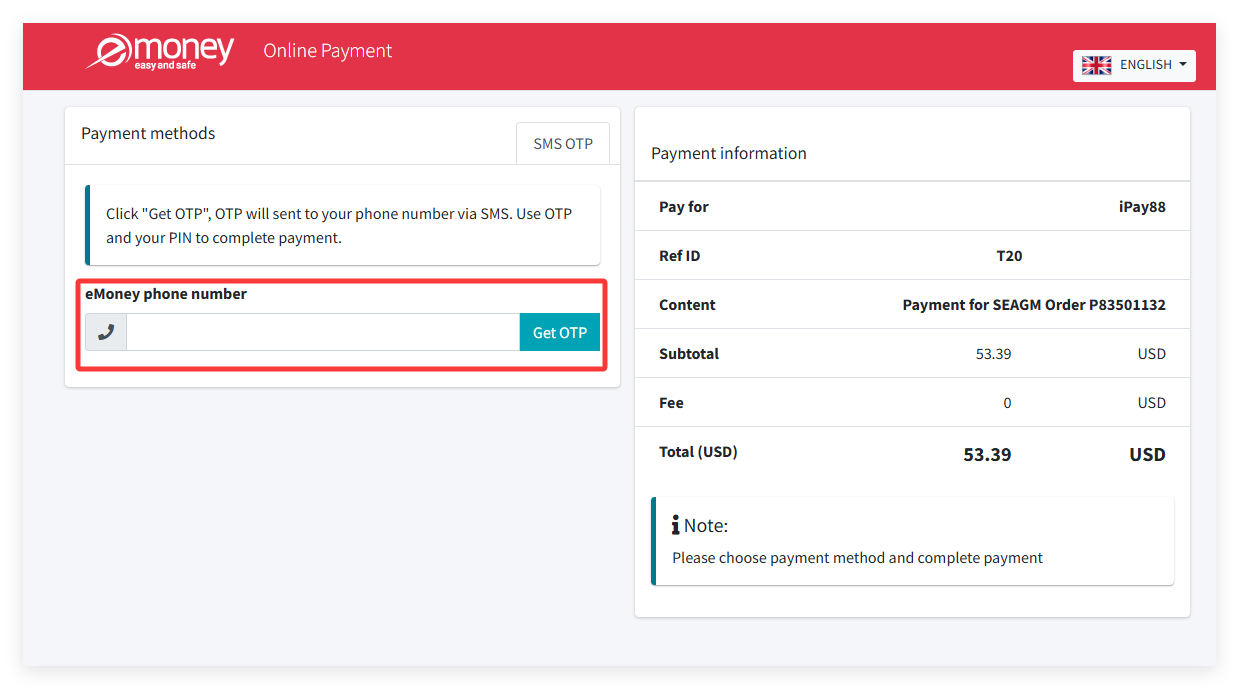
Langkah 4: Ikut arahan pada skrin supaya anda boleh membuat pembayaran. Setelah transaksi selesai, sila benarkan gerbang pembayaran mengalihkan anda ke laman web kami untuk menyelesaikan transaksi sepenuhnya.
Nota: Sila benarkan laman web kami dimuatkan sepenuhnya setelah transaksi anda selesai untuk mengelakkan pesanan terapung.
Langkah 5: Setelah pembayaran dibuat, anda boleh menyemak status pesanan secara langsung daripada profil akaun anda di bawah "Pesanan Saya". Sila hubungi pasukan sokongan kami melalui LiveChat jika status masih di bawah "belum dibayar".
Terima kasih.
Lawati laman Sokongan SEAGM untuk mendapatkan jawapan dan panduan pantas.
Perlukan sokongan? Hubungi Perkhidmatan Pelanggan kami melalui LiveChat .