Jika anda menghadapi masalah dengan pesanan anda, sila ikuti langkah-langkah di bawah untuk mendapatkan bantuan daripada SEAGM:
1. Lawati laman web SEAGM dan daftar masuk menggunakan alamat e-mel dan kata laluan berdaftar anda.
2. Kemudian klik pada ikon profil dan pilih [Mesej Sokongan].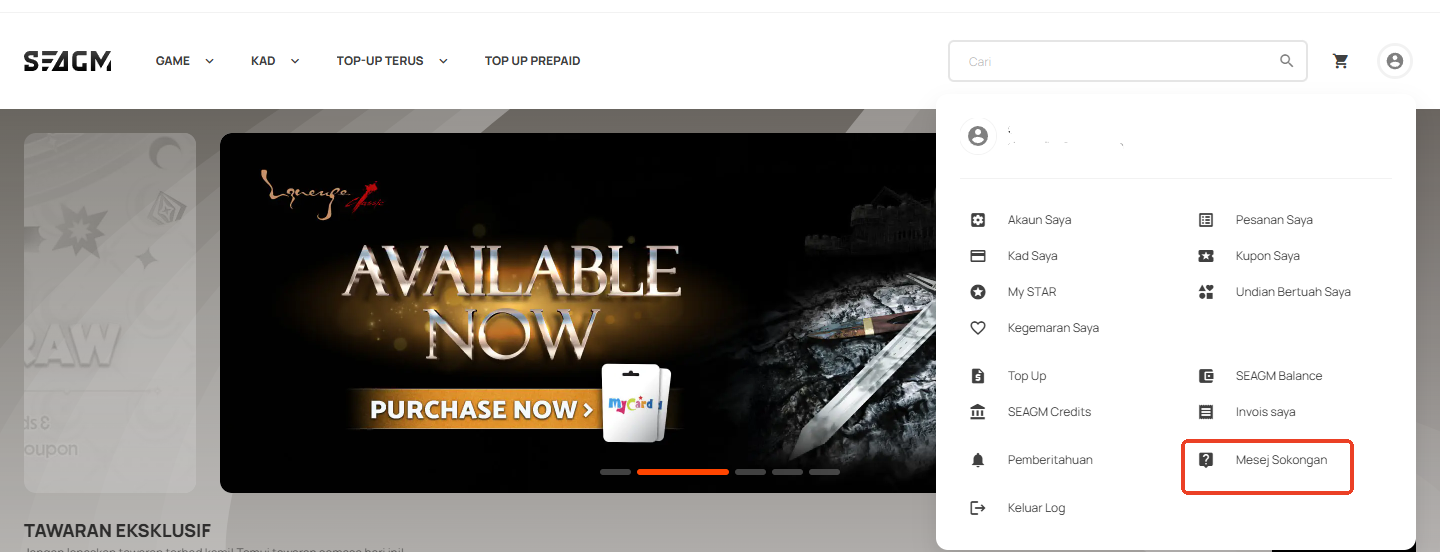
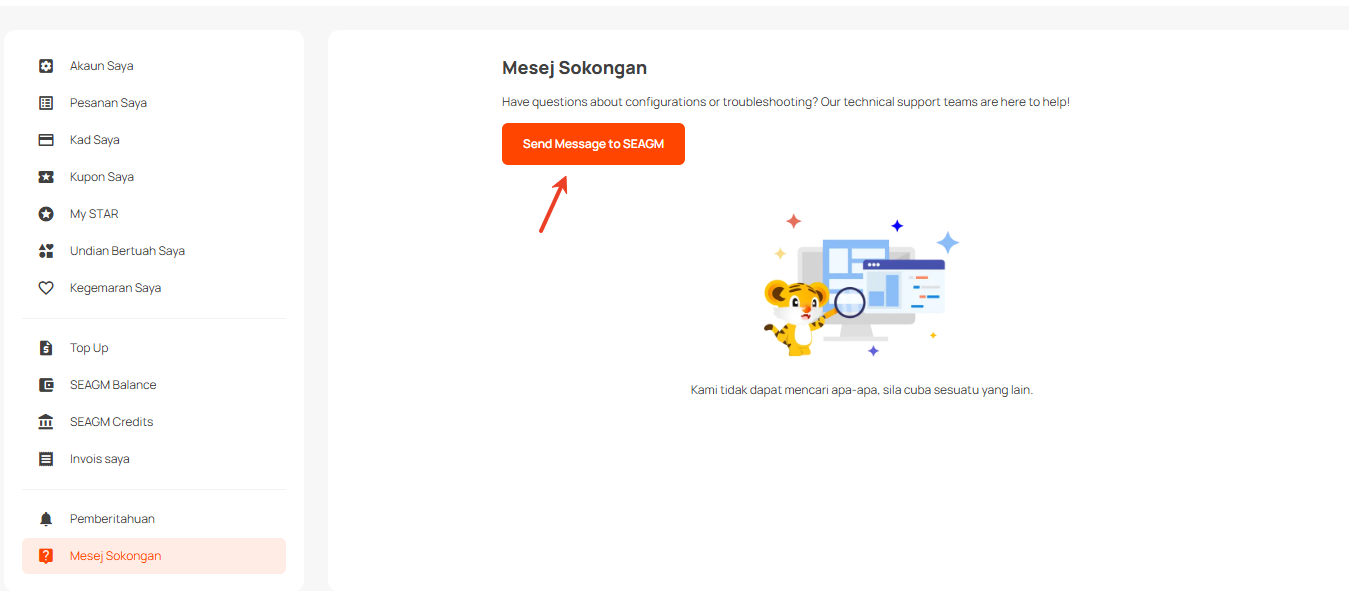
3. Terangkan masalah dengan jelas dan berikan semua butiran yang berkaitan, seperti nombor pesanan dan pertanyaan anda.
4. Muat naik tangkapan skrin atau imej yang berkaitan dengan isu tersebut untuk membantu kami memahami permintaan anda dengan lebih baik.
5. Klik [Submit Message] untuk menghantar permintaan anda.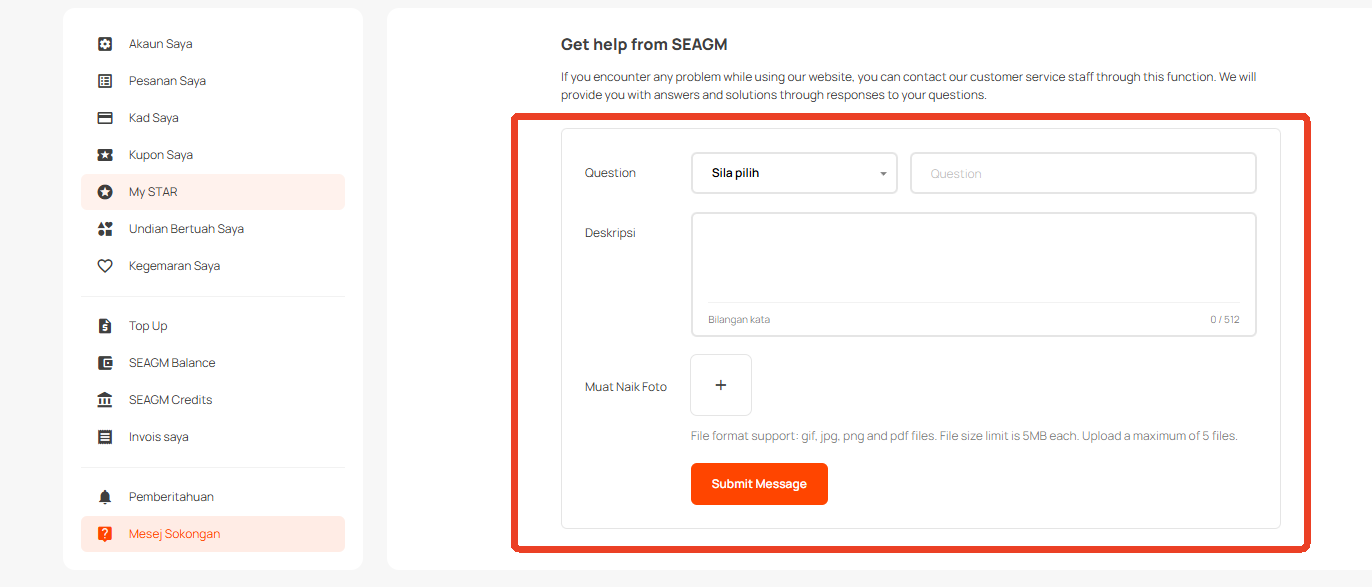 Selepas menghantar, pasukan kami akan menyemak kes anda dan menghubungi anda semula dengan maklumat terkini secepat mungkin.
Terima kasih.
Lawati laman Sokongan SEAGM untuk mendapatkan jawapan dan panduan pantas.
Perlukan sokongan? Hubungi Perkhidmatan Pelanggan kami melalui LiveChat .