Nota:
- Kad Hadiah Google Play yang dijual di SEAGM merupakan kad yang dikunci mata wang rantau. Sila pastikan rantau kad hadiah pembelian adalah sama dengan akaun Google berdaftar anda.
- Semua pembelian yang dibuat di SEAGM, setelah dihantar, tidak boleh dipulangkan, tidak boleh ditukar dan tidak boleh dikembalikan.
Langkah 1: Log masuk atau daftar untuk akaun dalam SEAGM. Pada menu atas, masukkan kata kunci "Figure" dan cari. Pilih "Figure Fantasy".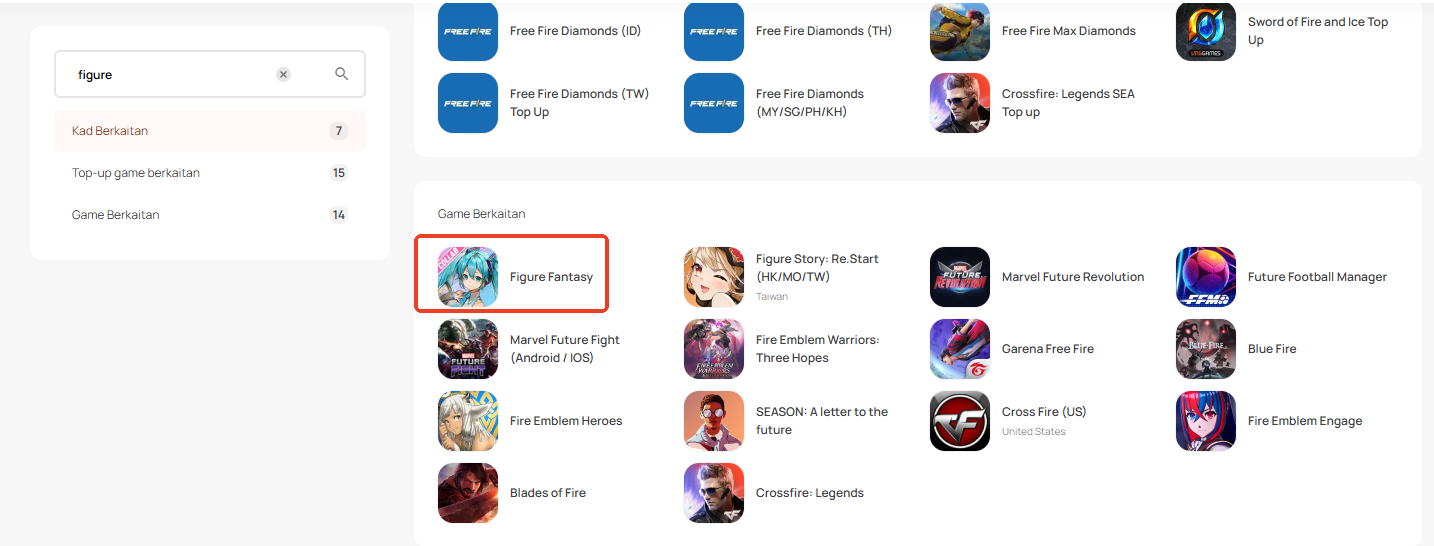
Langkah 2: Tatal ke bawah halaman dan pilih kad hadiah Google Play berdasarkan rantau akaun Google anda.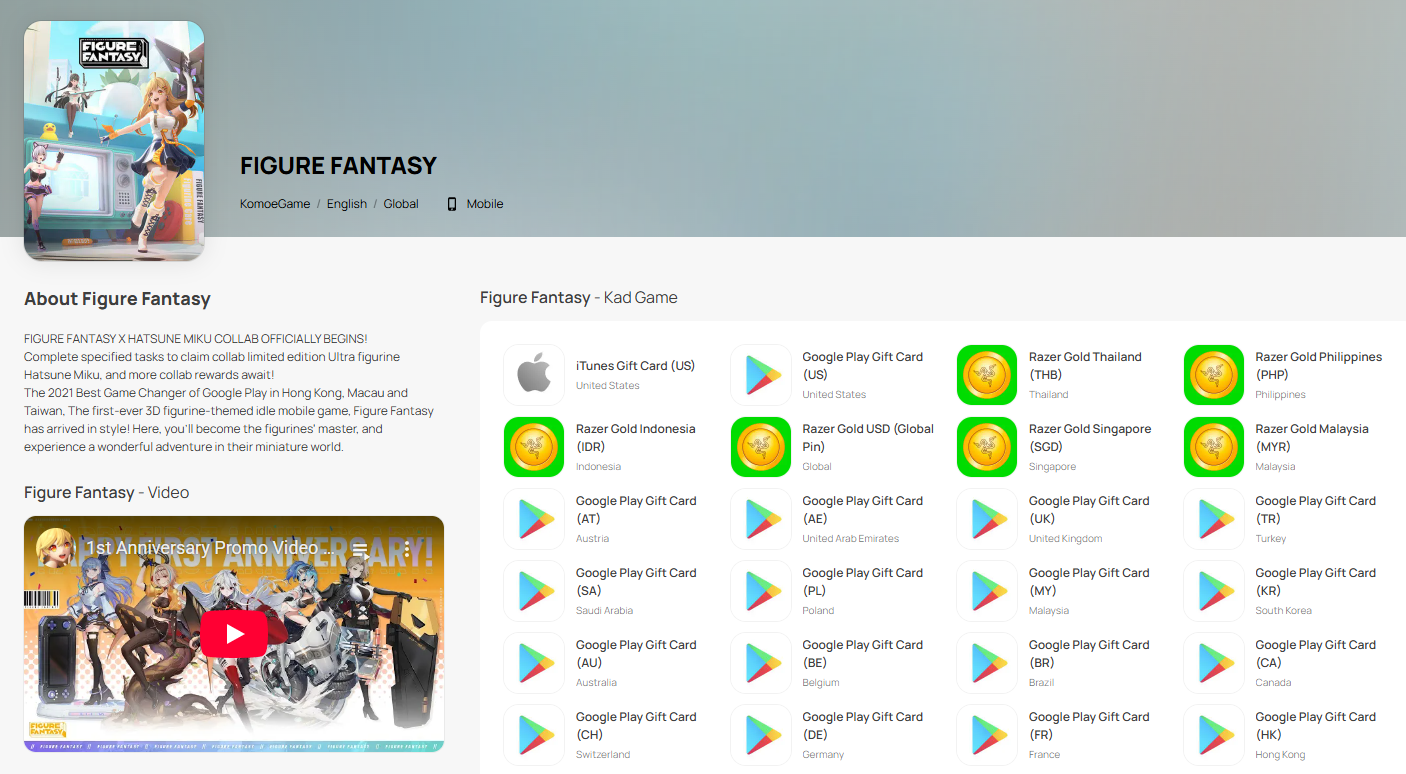
Langkah 3: Pilih jumlah yang anda perlukan, masukkan kuantiti dan klik "Beli Sekarang" untuk meneruskan.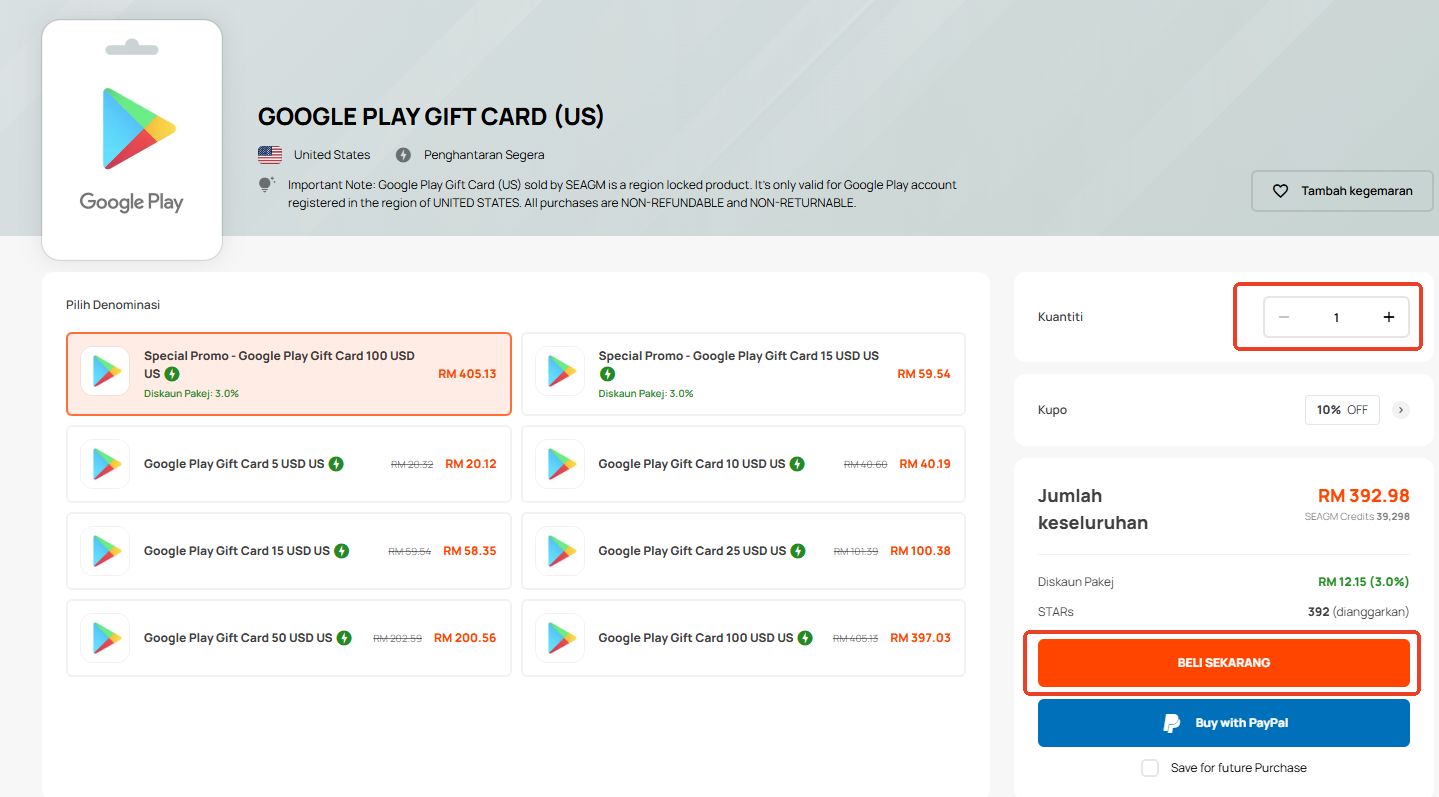
Langkah 4: Sila sahkan jumlah dan kuantiti yang dipilih kemudian klik "Bayar Sekarang" setelah disahkan.
Langkah 5: Pilih kaedah pembayaran yang anda inginkan dan klik "Bayar Sekarang" untuk melengkapkan pembayaran anda.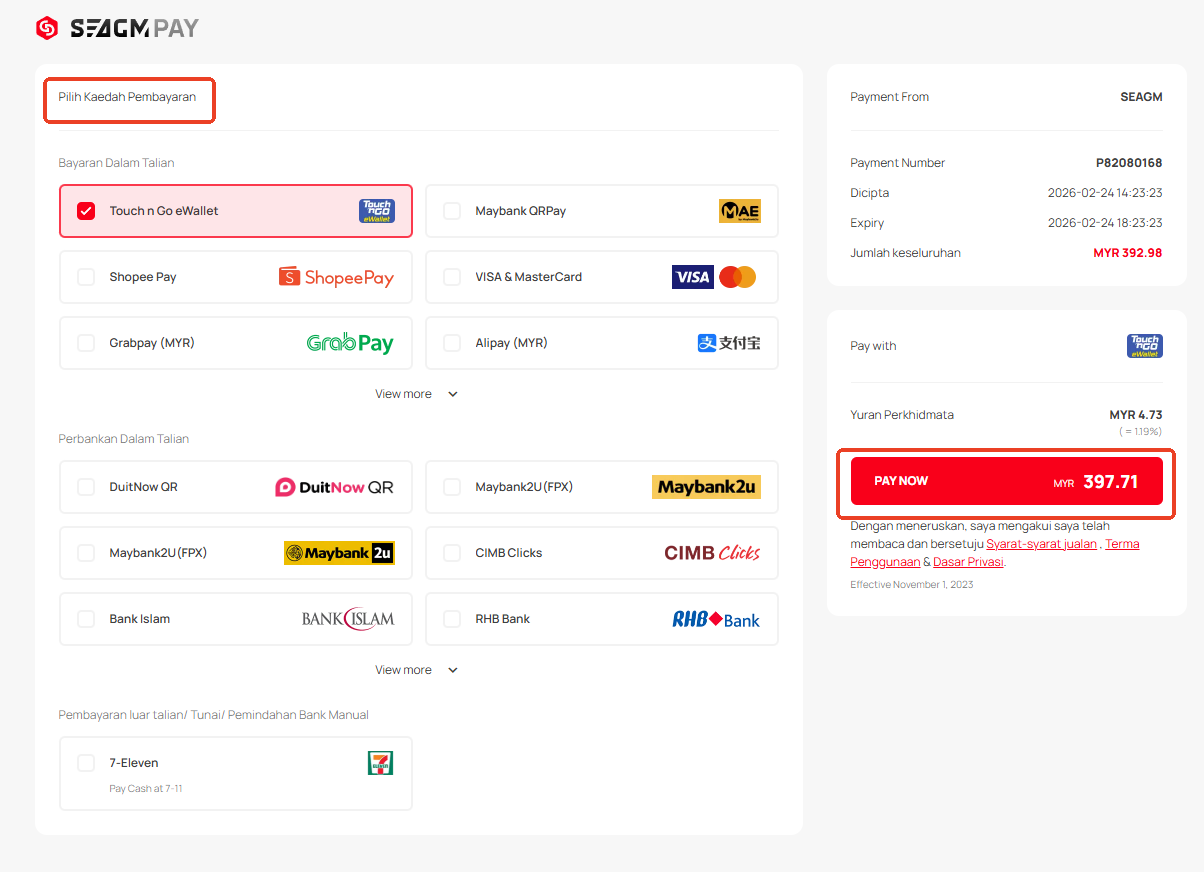
Langkah 6: Setelah pembayaran selesai, anda boleh mendapatkan kod anda di bawah Profil Pengguna anda dalam Kad Saya. Untuk produk Pra-Pesanan, kad mungkin mengambil masa beberapa hari bekerja untuk dihantar.
Terima kasih.
Lawati laman Sokongan SEAGM untuk mendapatkan jawapan dan panduan pantas.
Perlukan sokongan? Hubungi Perkhidmatan Pelanggan kami melalui LiveChat .