Nota: Kad hadiah Google Play yang dijual oleh SEAGM adalah produk yang dikunci mengikut rantau. Sila pastikan rantau kad hadiah sepadan dengan rantau akaun Google berdaftar anda.
Langkah 1: Setelah menyelesaikan pembelian di SEAGM, sila dapatkan semula kod kad permainan anda di "Kad Saya".
Langkah 2: Pasang dan mulakan aplikasi kemudian ketik ikon "+" di bahagian atas sebelah kanan skrin anda dan pilih kad VIP pilihan anda.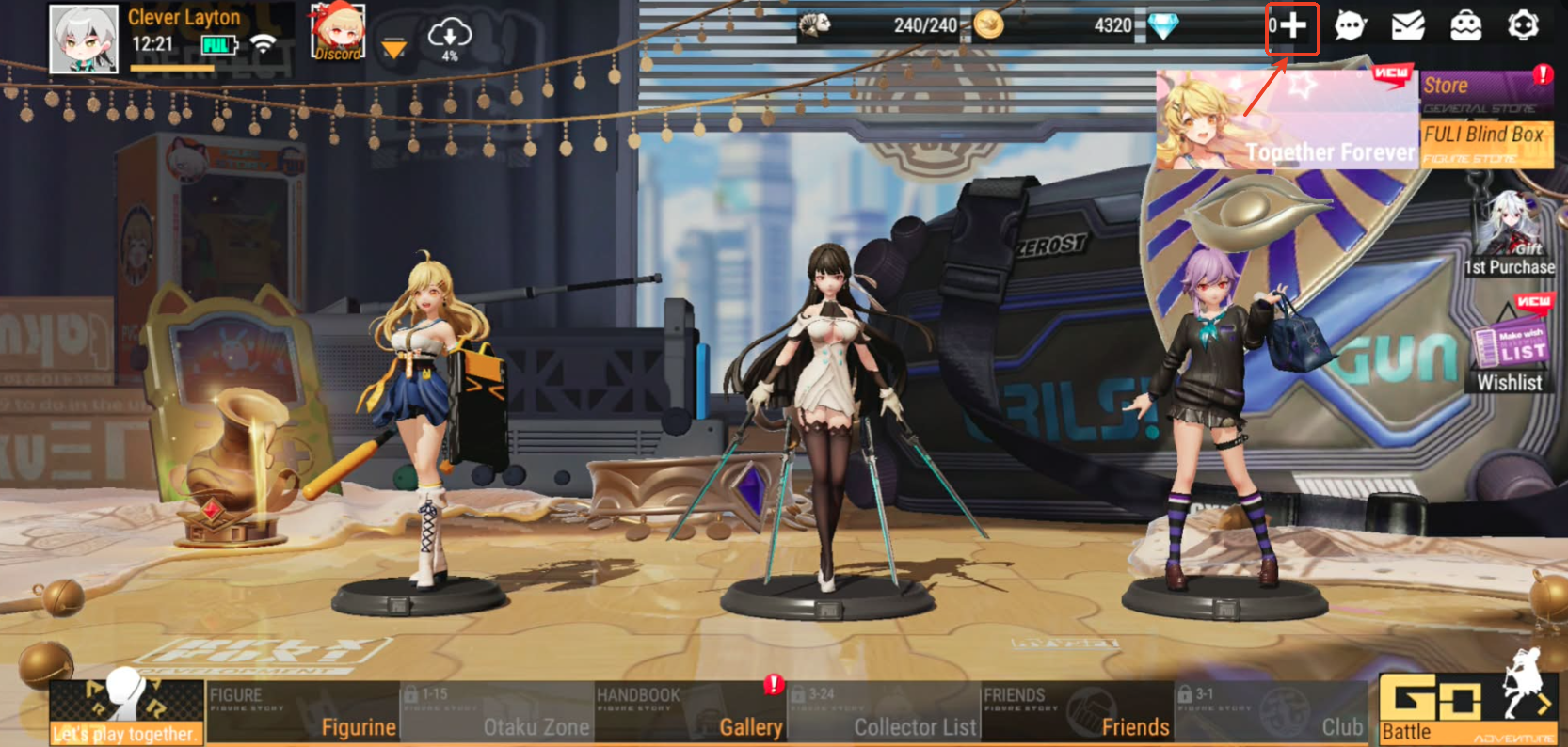
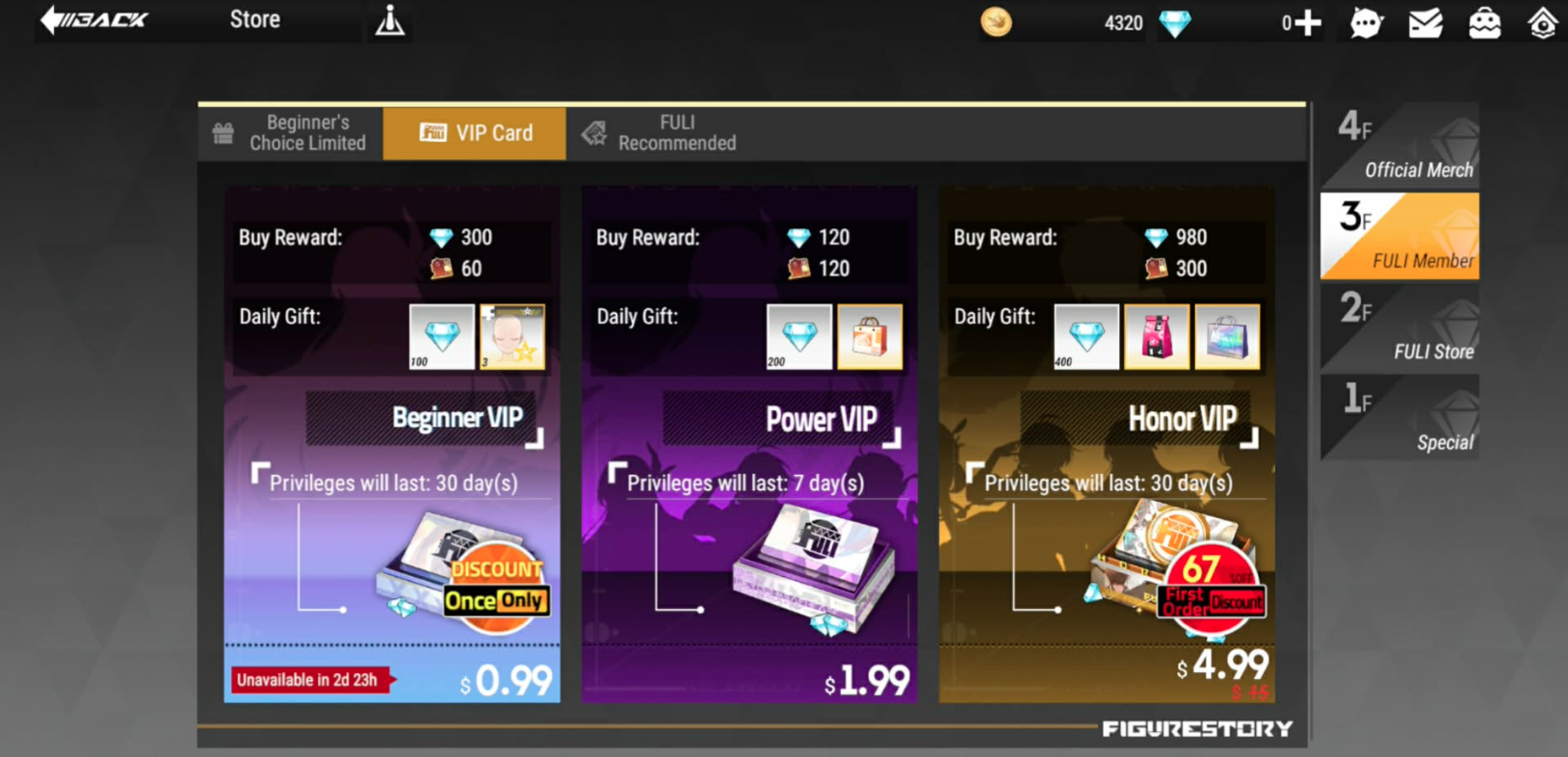
Langkah 3: Ketik "Tebus kod" untuk memasukkan kod yang anda beli kemudian klik "Tebus".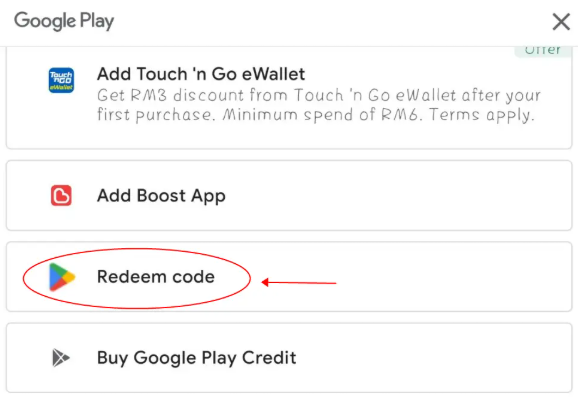
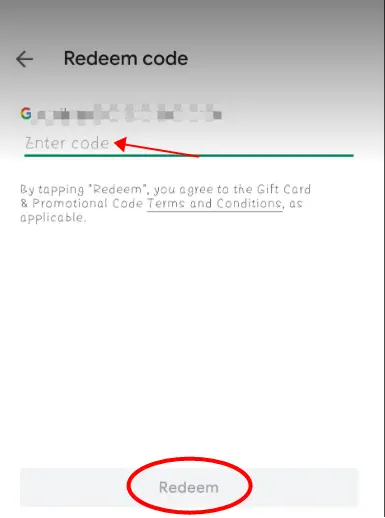
Langkah 4: Setelah selesai, item yang anda beli akan ditambah secara automatik ke akaun permainan anda.
Terima kasih.
Lawati laman Sokongan SEAGM untuk mendapatkan jawapan dan panduan pantas.
Perlukan sokongan? Hubungi Perkhidmatan Pelanggan kami melalui LiveChat .