Menggunakan Bigpoint E-pin, anda boleh membeli pelbagai kandungan seperti item dalam permainan, perkhidmatan premium, kosmetik atau peningkatan kuasa dalam pelbagai permainan Bigpoint seperti DarkOrbit, Deepolis, Drakensang Online, Farmerama, Seafight, Pirate Storm: Death or Glory, Rising Cities, Skyrama, Zoomumba.
Notis Penting: Bigpoint Epin (TR) yang dijual oleh SEAGM adalah terhad kepada rantau dan hanya boleh digunakan oleh akaun yang berdaftar di Turki. Semua pembelian adalah muktamad dan tidak boleh dikembalikan atau dipulangkan.
Langkah 1: Log masuk atau daftar untuk akaun dalam SEAGM. Pada menu atas, masukkan kata kunci "Bigpoint" dan cari. Pilih "Bigpoint Epin (TR)".
Langkah 2: Pilih jumlah yang anda perlukan, masukkan kuantiti dan klik "beli sekarang" untuk meneruskan.
Langkah 3: Sila sahkan jumlah dan kuantiti yang dipilih, kemudian klik "Bayar Sekarang" setelah disahkan.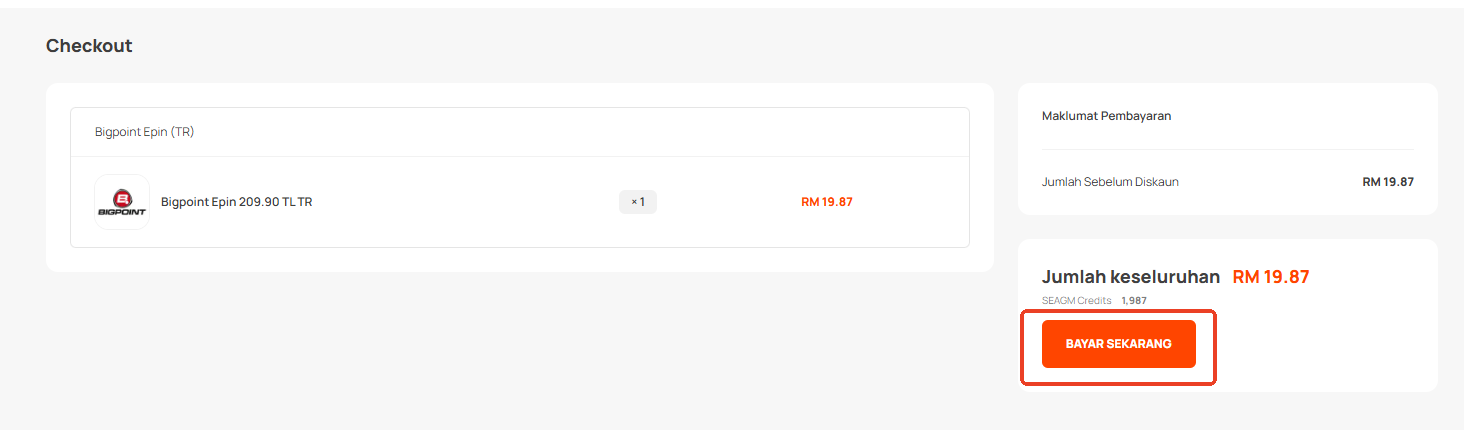
Langkah 4: Pilih kaedah pembayaran yang anda inginkan dan klik "Bayar Sekarang" untuk menyelesaikan pembayaran anda.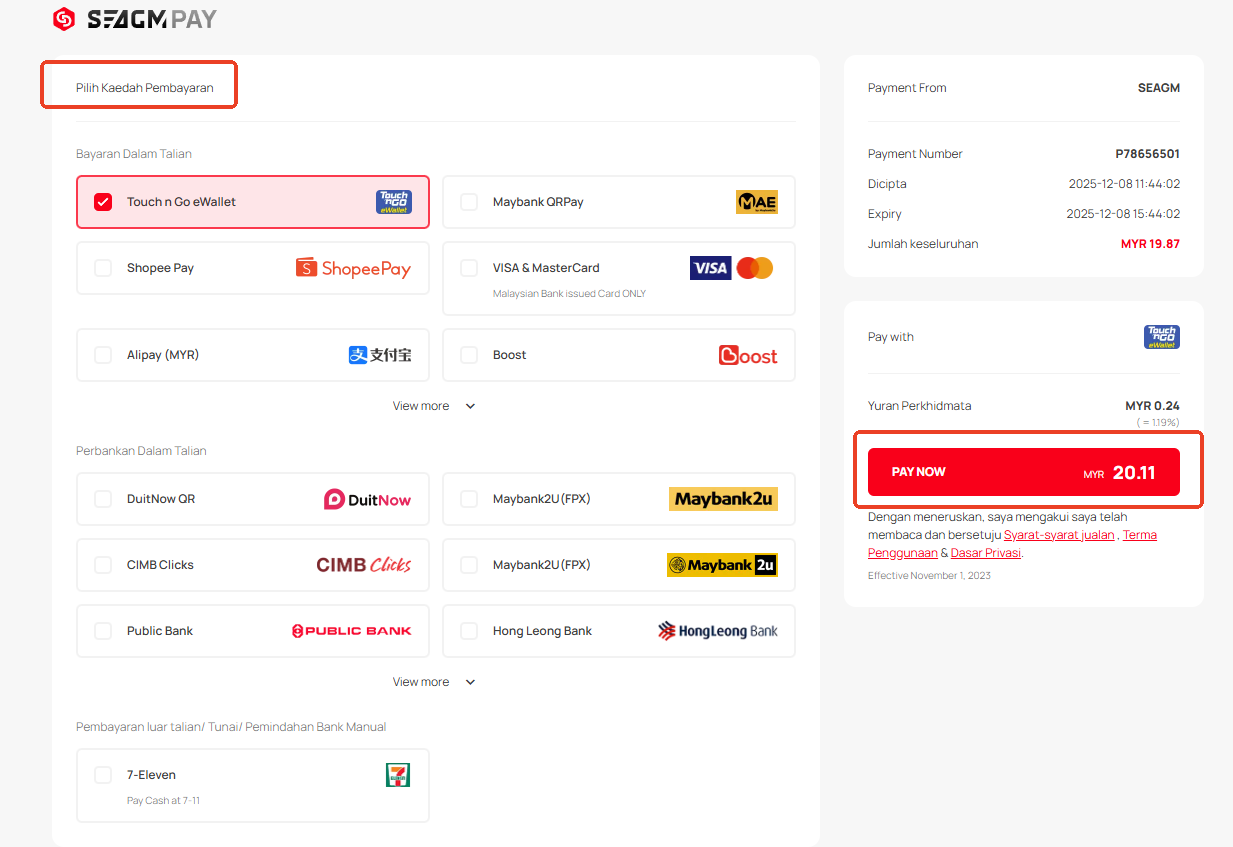
Langkah 5: Setelah pembayaran selesai, anda boleh mendapatkan kod anda di bawah Profil Pengguna anda dalam Kad Saya. Untuk produk Pra-Pesanan, kad mungkin mengambil masa beberapa hari bekerja untuk dihantar.
Terima kasih.
Lawati laman Sokongan SEAGM untuk mendapatkan jawapan dan panduan pantas.
Perlukan sokongan? Hubungi Perkhidmatan Pelanggan kami melalui LiveChat .